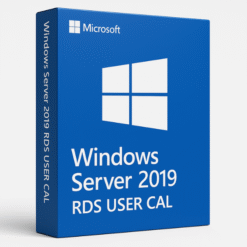
What is Windows Server 2019?
Windows Server 2019 is the latest iteration of Microsoft’s powerful server operating system, designed to meet the growing demands of modern businesses. It provides a wide range of features for managing both physical and virtual machines, delivering better performance, security, and support for remote work environments. Whether you need to manage data centers, deploy applications, or ensure secure access to critical business resources, Windows Server 2019 has you covered.
Key Features of Windows Server 2019
Windows Server 2019 is equipped with features that make it ideal for modern business environments. Some of the standout features include:
-
Hyper-V Virtualization: Windows Server 2019 includes Hyper-V, a powerful tool for creating and managing virtual machines. This enables businesses to run multiple operating systems and applications on a single server, improving efficiency and reducing hardware costs.
-
Enhanced Security Features: Security is a top priority in Windows Server 2019, which includes advanced tools like Windows Defender ATP, Shielded Virtual Machines, and data encryption to protect against cyber threats.
What Are User CALs?
A Client Access License (CAL) is a license required for each user or device that connects to a Windows Server. User CALs specifically grant an individual user the right to access the server from any device. In contrast to Device CALs, which are tied to specific devices, User CALs are tied to users, allowing them to access the server from various devices, such as desktops, laptops, or mobile phones.
What is a User CAL?
A User CAL allows a specific user to connect to the Windows Server 2019 environment. The flexibility of a User CAL comes from its ability to enable the same user to access the server from multiple devices without requiring additional licenses. Whether employees are working from a desktop in the office or a mobile device at home, they can seamlessly connect to the server.
User CAL vs. Device CAL
When considering which type of CAL to choose for your business, it’s important to understand the differences between User CALs and Device CALs:
-
User CALs: Ideal for businesses where employees access the server from multiple devices. Each employee needs one User CAL, regardless of how many devices they use.
-
Device CALs: Best suited for businesses where several employees share the same device, such as in call centers or public kiosks. A Device CAL is assigned to the device, and any user can access the server from that device.
How Do User CALs Work in Windows Server 2019?
User CALs enable individual users to access the resources and services of Windows Server 2019. The process of assigning and using User CALs is straightforward.
Licensing Model for User CALs
The User CAL licensing model works by assigning a specific CAL to each user who needs access to the server. The number of User CALs should match the number of users that will be accessing the system, regardless of the devices they use. This flexibility is especially useful for businesses with remote employees or those using various devices.
Managing User CALs in Windows Server 2019
Once User CALs are purchased, they must be activated and assigned to users within the Remote Desktop Licensing Manager. Admins can assign CALs and track their usage, ensuring compliance and proper allocation of resources.
Why Choose User CALs for Your Organization?
For businesses that have employees using multiple devices, User CALs offer a flexible and scalable solution. Here’s why they are the best choice:
Flexibility and Scalability
With User CALs, employees can work from any device, whether it’s a desktop in the office or a smartphone on the go. This is especially important for businesses with a remote workforce, as employees can seamlessly access the server without being tied to a specific device.
Cost-Effectiveness
Purchasing User CALs can be more cost-effective than Device CALs for businesses where employees regularly use multiple devices. Instead of purchasing multiple Device CALs for every device in the office, businesses can buy one User CAL per employee, saving money in the long run.
How to Install and Activate User CALs in Windows Server 2019
The process of installing and activating User CALs in Windows Server 2019 is relatively simple. Follow these steps to get started:
System Requirements
Before installing User CALs, ensure that your system meets the following minimum requirements:
-
Processor: 1.4 GHz 64-bit processor
-
Memory: 2 GB RAM (4 GB recommended)
-
Storage: 160 GB hard drive with at least 40 GB free space
-
Network: Ethernet adapter
Installation Process
-
Prepare the Installation Media: Download the installation files for Windows Server 2019 or use a DVD/USB drive with the files.
-
Install Windows Server 2019: Follow the on-screen instructions to install Windows Server 2019.
-
Enable RDS (Remote Desktop Services): Go to Server Manager and enable the Remote Desktop Services role.
-
Activate User CALs: Use the Licensing Manager to enter the User CAL product key and activate the licenses.
Activation Process
After installation, activate your User CALs by entering the product key in the Remote Desktop Licensing Manager. Once activated, users will be able to access the server from any device.
Managing User CALs in Windows Server 2019
Efficiently managing User CALs is crucial to ensure that your business remains compliant and that resources are allocated properly.
Tracking License Usage
Regularly monitor how many User CALs are being used, and ensure that you’re not exceeding your licensing limit. The Licensing Manager can track CAL usage and alert you when it’s time to purchase more licenses.
Troubleshooting User CAL Issues
If you encounter issues with User CALs, common problems might include:
-
Incorrect product key entry: Ensure that the correct product key is used during activation.
-
Exceeded CAL limit: Check to make sure your User CALs match the number of users in your organization.
-
Network issues: Verify that your network is functioning correctly, especially when activating or verifying licenses.
Pricing and Licensing for User CALs
Pricing for User CALs can vary based on the number of licenses required and the vendor you purchase from. It’s important to choose the right plan that fits your organization’s needs.
Why SoftLicenseKey Offers the Best Prices
At SoftLicenseKey.com, we offer genuine Microsoft product keys for Windows Server 2019 User CALs at the cheapest prices. We guarantee the authenticity of our product keys and offer outstanding customer support to assist with the licensing process.
Comparing User CAL Pricing
When comparing User CAL pricing, SoftLicenseKey consistently offers the best deals. By purchasing from us, businesses can save significantly on licensing costs compared to other retailers.
Conclusion
Windows Server 2019 User CALs provide an efficient and cost-effective solution for businesses that require flexible remote desktop access. With the ability to access the server from any device and the flexibility to scale as needed, User CALs are the best choice for modern businesses. By purchasing from SoftLicenseKey, businesses can get genuine product keys at the best prices, ensuring a smooth, compliant experience.
Frequently Asked Questions (FAQs)
-
What is a User CAL in Windows Server 2019?
-
A User CAL is a license that allows a specific user to access the Windows Server 2019 environment from any device.
-
-
How do I install User CALs in Windows Server 2019?
-
After installing Windows Server 2019, enable Remote Desktop Services and activate the User CAL product key through the Licensing Manager.
-
-
What is the difference between User CALs and Device CALs?
-
User CALs are tied to individual users, allowing them to access the server from any device, while Device CALs are tied to specific devices.
-
-
Why should I buy User CALs from SoftLicenseKey?
-
SoftLicenseKey offers genuine product keys at the cheapest prices, with excellent customer service to assist with any issues.
-
-
Can I upgrade my User CALs if my business grows?
-
Yes, you can always purchase additional User CALs as your business expands, ensuring that you remain compliant with licensing requirements.
-
This guide covers everything you need to know about Windows Server 2019 User CALs, from installation and activation to pricing and licensing. By purchasing from SoftLicenseKey, you ensure that you are getting the best value for your business with genuine, affordable product keys.
Related products