
-
×
 Windows Server 2016 USER CAL – Product Keys
1 × $11.99
Windows Server 2016 USER CAL – Product Keys
1 × $11.99
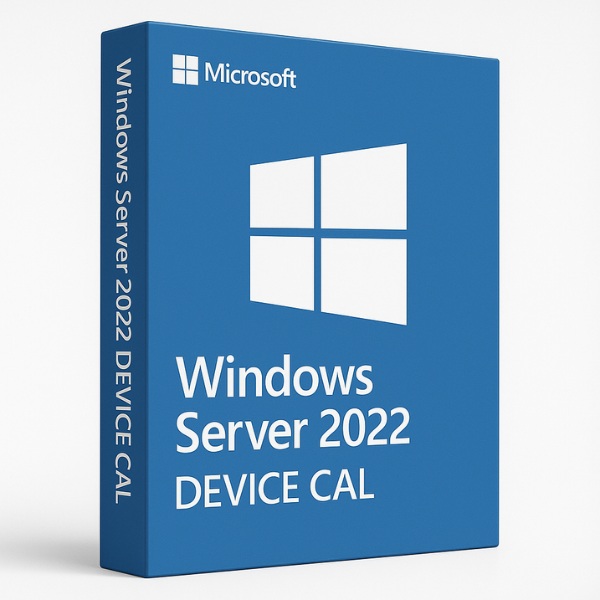
What is Windows Server 2022?
Windows Server 2022 is the latest version of Microsoft’s operating system designed to manage and run server infrastructures. It is equipped with powerful tools for data management, network control, and user access, making it an excellent choice for businesses of all sizes. As more businesses move toward hybrid cloud setups, Windows Server 2022 provides the necessary support to manage both on-premise and cloud-based applications seamlessly.
Why Choose Windows Server 2022?
Businesses that need an efficient, secure, and scalable server system should opt for Windows Server 2022. The operating system brings a host of new features like advanced security protections, cloud integration, and improved performance. Moreover, it allows organizations to maintain a high level of productivity while ensuring that sensitive data remains secure.
-
Improved Security: Features such as multi-layer protection, Shielded Virtual Machines, and Windows Defender ATP enhance data protection against cyber threats.
-
Performance Optimizations: Windows Server 2022 introduces improved performance for virtualized environments and remote desktop sessions, ensuring smooth user experiences.
-
Cloud-Ready: The system is optimized for hybrid cloud solutions, allowing seamless integration between on-premise infrastructure and cloud services.
What are Device CALs?
A Device Client Access License (CAL) is a license required to allow a device to connect to the Windows Server 2022 environment. Device CALs are ideal for environments where multiple users share the same device, such as in shift-based work environments, manufacturing floors, or public kiosks.
By purchasing a Device CAL, businesses grant a specific device the right to access the server, regardless of how many users share that device. This means that if you have a device used by several employees or team members, you only need one Device CAL for that device.
How Device CALs Work
Once you purchase a Device CAL, it is tied to a specific device—whether a computer, tablet, or kiosk. The Device CAL gives that device permission to connect to the server, allowing any user on the device to access server resources, applications, and data. Unlike User CALs, which are tied to individual users, Device CALs are more suited for shared devices.
Difference Between User CALs and Device CALs
-
User CALs are ideal for environments where employees use multiple devices (such as desktops, laptops, and mobile devices). A single User CAL can be assigned to a user, allowing access from any device.
-
Device CALs are assigned to devices, allowing any number of users to access the server from that specific device. This is ideal for environments like factories, public spaces, or shared workstations.
Key Features of Windows Server 2022 Device CAL
Windows Server 2022 Device CALs offer several key benefits that enhance the server access experience.
Performance Benefits
With Device CALs, organizations can ensure high availability and optimized performance for shared devices. Multiple users can access the server simultaneously without compromising on speed or connectivity.
Security and Compliance
Windows Server 2022, combined with Device CALs, ensures that devices connecting to the server are properly secured. The operating system provides strong data encryption and authentication features to protect sensitive information, ensuring compliance with industry standards like GDPR and HIPAA.
How to Choose the Right CAL for Your Business
When deciding between User CALs and Device CALs, it’s essential to evaluate the nature of your business and how users or devices access the server.
When to Use Device CALs
Device CALs are ideal for businesses where devices are shared among multiple users, such as in the following scenarios:
-
Shift-based work environments: Devices like computers or kiosks used by multiple employees in shifts.
-
Public access points: Devices used by customers or clients, such as in libraries, public stations, or retail shops.
Cost-Effective CAL Options
Choosing Device CALs can often be more cost-effective for businesses where devices are shared, as you only need to purchase a single license for each device, regardless of the number of users.
Where to Buy Windows Server 2022 Device CALs
There are several places where you can buy Windows Server 2022 Device CALs, but it’s important to choose a trustworthy source that guarantees genuine product keys and offers competitive pricing.
Why Choose SoftLicenseKey?
SoftLicenseKey stands out as the best place to purchase Windows Server 2022 Device CALs. Here’s why:
-
Genuine Product Keys: We offer only authentic product keys, ensuring smooth installation and activation.
-
Top-notch Customer Support: Our dedicated team is available to help with any issues you might face during the purchasing or installation process.
-
Affordable Pricing: We pride ourselves on offering the most affordable prices for Device CALs, ensuring that you get excellent value for your investment.
Cheapest Prices for Device CALs
At SoftLicenseKey, we understand that businesses need cost-effective solutions. That’s why we guarantee the cheapest prices for Windows Server 2022 Device CALs, ensuring you don’t have to pay a premium for genuine product keys.
How to Install and Activate Windows Server 2022 Device CALs
Once you’ve purchased your Windows Server 2022 Device CALs, follow these simple steps to install and activate them:
Step 1: Purchase the Product Key
Head to SoftLicenseKey.com to purchase your Device CALs. After making the purchase, you’ll receive a valid product key that you can use for activation.
Step 2: Installation and Activation Process
-
Open Server Manager: On your Windows Server 2022, launch Server Manager.
-
Add Roles and Features: Navigate to Add Roles and Features, then click Next until you reach Remote Desktop Services.
-
Select Device CALs: When prompted, select Device CALs and proceed with the installation.
-
Enter the Product Key: Enter the product key you received from SoftLicenseKey to activate the Device CAL.
-
Finish the Setup: Complete the setup and you’re ready to go!
Conclusion
Windows Server 2022 Device CALs are the perfect solution for businesses that need to provide multiple users with access to a server through shared devices. By choosing SoftLicenseKey, you can ensure that you’re getting genuine keys at the cheapest prices in the market. With Device CALs, businesses can optimize server performance, improve security, and manage access efficiently.
Frequently Asked Questions
-
What is a Device CAL?
-
A Device CAL is a license that allows a specific device to access a Windows Server, regardless of how many users share that device.
-
-
What’s the difference between User CALs and Device CALs?
-
User CALs are assigned to individual users, while Device CALs are assigned to specific devices, allowing multiple users to share the device.
-
-
Why should I buy Device CALs from SoftLicenseKey?
-
SoftLicenseKey offers genuine product keys at the lowest prices and provides excellent customer support.
-
-
How do I activate my Device CALs?
-
You can activate Device CALs through Server Manager by entering the product key provided by SoftLicenseKey.
-
-
Are Device CALs suitable for shared workstations?
-
Yes, Device CALs are ideal for shared workstations in environments where multiple users use the same device.
-
This comprehensive guide provides insights into Windows Server 2022 Device CALs, helping businesses understand their features, installation process, and benefits. By purchasing from SoftLicenseKey, you ensure the best value for your business while optimizing your server’s performance and security.
Related products
-92%

Original price was: $169.99.$13.99Current price is: $13.99.
-89%

-88%

-89%

-92%
Original price was: $169.99.$13.99Current price is: $13.99.
-89%
-88%
Original price was: $500.99.$59.99Current price is: $59.99.
-91%
Original price was: $199.99.$18.99Current price is: $18.99.