
-
×
 Microsoft Visio 2016 Standard -Product keys
1 × $7.50
Microsoft Visio 2016 Standard -Product keys
1 × $7.50
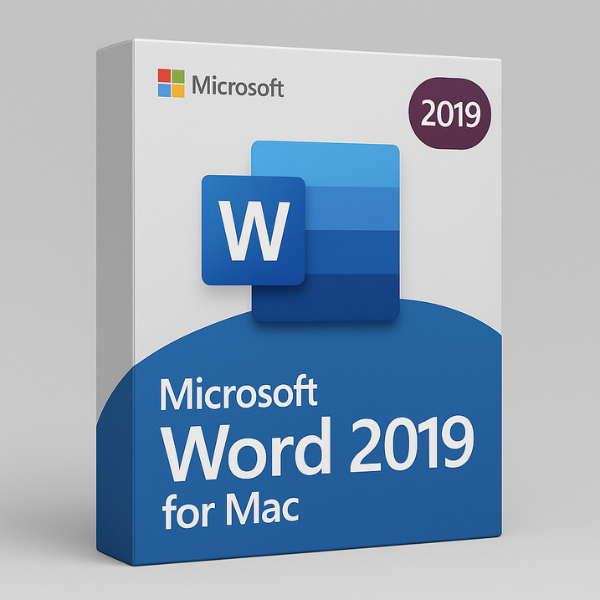

Introduction to Microsoft Word 2019 for Mac
Microsoft Word 2019 for Mac is a powerful and versatile word-processing software designed specifically for macOS users. Whether you’re a student, professional, or casual user, Word 2019 offers everything you need to create, edit, and manage documents efficiently. With its sleek new features and enhanced functionality, this version of Word is a must-have tool for Mac users. Let’s dive into what makes Word 2019 for Mac a game-changer.
What’s New in Microsoft Word 2019 for Mac?
Microsoft Word 2019 for Mac isn’t just a standard update; it brings exciting new features to enhance user experience, creativity, and productivity. Let’s explore some of the key features that set this version apart from its predecessors.
Improved Inking and Drawing Tools
One of the standout features of Word 2019 for Mac is the improved inking and drawing tools. If you use a digital pen, you’ll love the new pen features that allow you to draw, highlight, and annotate documents with ease. Whether you’re brainstorming ideas, sketching diagrams, or simply adding personal notes, these tools make the process effortless and intuitive.
Dark Mode for Word 2019
If you’re someone who spends long hours working on documents, the new dark mode will make a huge difference. Dark mode reduces eye strain by offering a darker background and lighter text, making it easier to read and write in low-light environments. Plus, it looks pretty sleek, adding a modern touch to your workspace.
Learning Tools
Word 2019 also introduces enhanced learning tools that help with reading and comprehension. Features like Read Aloud and Text Spacing are designed to improve focus and reading speed, making it easier to process and understand long documents or dense texts.
System Requirements for Microsoft Word 2019 on Mac
Before you jump into installing Word 2019, it’s important to make sure your Mac meets the minimum system requirements. Having the right hardware and software will ensure smooth performance and prevent any issues during installation.
Minimum and Recommended Requirements
Here’s a quick look at the system requirements for Microsoft Word 2019 on Mac:
-
Minimum Requirements:
-
macOS 10.12 (Sierra) or later
-
4 GB RAM
-
10 GB of available hard disk space
-
-
Recommended Requirements:
-
macOS 10.14 (Mojave) or later
-
8 GB RAM or more
-
20 GB of available hard disk space for optimal performance
-
How to Install Microsoft Word 2019 for Mac
Installing Microsoft Word 2019 for Mac is easy and straightforward. Whether you’re installing from a disk, downloading from the internet, or purchasing from an authorized seller, you’ll find the process smooth and user-friendly.
Downloading the Software
First, you’ll need to get the software. You can download Word 2019 for Mac directly from the official Microsoft website or authorized resellers like Softlicensekey.com. Always make sure you’re getting the software from a trusted source to avoid counterfeit or pirated versions.
Installation Process
Once you have the installer, follow these simple steps to install Word 2019:
-
Open the downloaded file.
-
Follow the on-screen instructions to begin installation.
-
Agree to the terms and conditions.
-
Choose your installation preferences (location, etc.).
-
Click “Install” and wait for the process to complete.
Activation with Product Key
After installation, you’ll need to activate your product with the product key that comes with your purchase. This ensures that you’re using a licensed version of Word 2019. Simply enter the 25-character product key when prompted, and your copy of Word will be activated.
Microsoft Word 2019 User Interface for Mac
The user interface (UI) in Word 2019 for Mac is sleek, modern, and customizable. Microsoft has redesigned several aspects of the layout to make it easier to navigate and access your tools.
Navigation and Toolbars
The ribbon interface makes it easy to find and use tools in Word. With Word 2019 for Mac, you can personalize the ribbon and the toolbars to suit your workflow, helping you get more done in less time.
Ribbon and Quick Access Toolbar
If you’re familiar with earlier versions of Word, the ribbon will look quite familiar. The ribbon and quick access toolbar allow you to add your most-used commands for easy access. This customization saves time and streamlines your work.
Creating and Editing Documents in Word 2019 for Mac
Microsoft Word 2019 is designed to help you create professional documents with ease. From simple letters to complex reports, it offers all the tools you need to write, format, and edit your documents.
Formatting Text and Paragraphs
One of the core strengths of Word is its ability to format text and paragraphs quickly. You can use pre-designed themes, styles, and templates to make your document look polished without any hassle. Adjust font styles, size, color, and alignment in just a few clicks.
Working with Graphics, Tables, and Charts
Visual elements like tables, charts, and images are crucial for creating well-rounded documents. Word 2019 for Mac makes it easy to add and edit these elements, helping you present your data in a visually appealing way.
Adding and Editing Images
Inserting and editing images in Word is simple. You can drag and drop images directly into your document, resize them, or use advanced formatting options to ensure that your visuals are perfectly integrated into your content.
Collaboration Features
Collaboration is key in today’s digital world. Word 2019 for Mac allows multiple users to collaborate in real-time, leave comments, and track changes. Whether you’re working on a team project or reviewing a document, these features help streamline communication and ensure seamless collaboration.
Compatibility with Other Devices and Platforms
Microsoft Word 2019 for Mac is designed to work seamlessly across different platforms, ensuring that your documents are always accessible, no matter where you are or what device you’re using.
Mac Version vs. Windows Version
While the Mac and Windows versions of Word are very similar, there are a few minor differences in terms of layout and performance. However, Microsoft ensures that both versions offer nearly identical functionality, so switching between them is seamless.
Using Word 2019 Across Multiple Devices
With Word 2019, you can use your software on multiple devices, including Macs, Windows PCs, and mobile devices. Microsoft’s cloud storage solutions, like OneDrive, allow you to save and access documents from anywhere.
Where to Buy Microsoft Word 2019 for Mac?
Now that you’re convinced that Word 2019 for Mac is the tool you need, it’s time to figure out where to buy it. While there are many places to purchase software, Softlicensekey.com stands out as the best option.
Softlicensekey.com – Your Best Source for Microsoft Word 2019
At Softlicensekey.com, we offer Microsoft Word 2019 for Mac at the best prices. Our products are 100% authentic, and we provide excellent customer service to ensure you have a smooth experience. We understand the value of a great deal, and that’s why we offer the lowest prices for licensed Microsoft software.
Conclusion
Microsoft Word 2019 for Mac is an excellent tool that offers powerful features, a sleek design, and smooth performance. Whether you’re writing, editing, or collaborating, Word 2019 makes the process more efficient and enjoyable. By getting your product key from Softlicensekey.com, you can ensure you’re getting the best price for a genuine license, making Word 2019 a smart investment for your productivity.
FAQs
-
Can I use Microsoft Word 2019 for Mac without a product key?
-
No, a valid product key is required to activate and fully use Microsoft Word 2019.
-
-
Is Word 2019 for Mac compatible with macOS Monterey?
-
Yes, Word 2019 is compatible with macOS Monterey and other recent macOS versions.
-
-
How do I activate my Microsoft Word 2019 for Mac?
-
After installation, enter the 25-character product key when prompted to activate your software.
-
-
Can I use Microsoft Word 2019 on multiple Macs?
-
Typically, a single product key is for one device. You may need to purchase additional licenses for multiple Macs.
-
-
Is it worth upgrading to Word 2019 for Mac from an older version?
-
Yes, Word 2019 offers significant improvements in performance, functionality, and user experience compared to older versions.
-
WordsCharactersReading time


