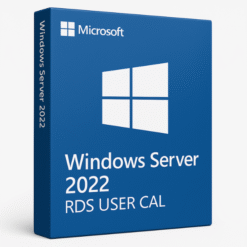
H1: Introduction to Windows Server 2022 Remote Desktop Services (RDS) 50 User CALs CD Keys
When businesses need to provide their teams with seamless remote access to critical applications and desktops, Windows Server 2022 Remote Desktop Services (RDS) with 50 User CALs (Client Access Licenses) is a top choice. With the growing shift toward remote work and hybrid environments, RDS offers a solution to efficiently manage and control access to servers, applications, and desktops remotely. In this article, we’ll break down the essentials of Windows Server 2022 RDS, how 50 User CALs can benefit your business, and why Softlicensekey is the best place to purchase your RDS CD keys at the most affordable prices.
H2: What is Windows Server 2022 Remote Desktop Services (RDS)?
Windows Server 2022 Remote Desktop Services (RDS) is a comprehensive solution designed to provide users with secure access to desktops, applications, and virtual machines hosted on a central server. RDS enables businesses to deploy a robust and scalable remote desktop infrastructure, allowing employees to access company resources from anywhere with an internet connection.
With RDS, administrators can manage applications and desktops centrally, which is ideal for businesses that need to provide access to critical resources without managing complex client installations on individual devices.
H2: What are CALs (Client Access Licenses) in RDS?
Client Access Licenses (CALs) are required for each user or device that accesses the Windows Server remotely via RDS. They serve as the official permissions needed to connect to a Windows Server, ensuring that your business stays compliant with licensing regulations.
For RDS, two types of CALs are available: User CALs and Device CALs. A User CAL grants one specific user the ability to access the server from any device, making it ideal for employees who work across multiple devices. A Device CAL, on the other hand, grants a device the right to access the server, regardless of which user is utilizing it. In this article, we focus on 50 User CALs, which are perfect for a business that has a defined number of users requiring access.
H2: What Are 50 User CALs?
When you purchase 50 User CALs for Windows Server 2022 RDS, you’re essentially granting access to 50 individual users. These users can access the server remotely from any device, ensuring flexibility for businesses with employees working from various locations or on different devices.
This is particularly useful for businesses with a high number of mobile workers or remote teams. With 50 User CALs, your company ensures that each user has the right to access the necessary resources without worrying about device-specific limitations.
H2: Key Features of Windows Server 2022 RDS
Windows Server 2022 RDS offers a range of features that make it an ideal solution for businesses needing remote access. Let’s explore some of its standout features.
H3: Virtualization
RDS in Windows Server 2022 enables businesses to deploy virtualized applications and desktops. This means your employees can access a full desktop environment or specific applications hosted on your server, without the need for heavy local computing resources. Virtualization enhances performance, reduces hardware costs, and simplifies infrastructure management.
H3: Flexibility and Accessibility
With 50 User CALs, employees can access the server remotely from any device, whether it’s a desktop, laptop, tablet, or smartphone. This provides businesses with the flexibility to accommodate workers in various roles, including field agents, remote teams, and traveling employees, all while ensuring security and control.
H3: Security Features
Windows Server 2022 RDS is equipped with advanced security protocols, including multi-factor authentication (MFA) and secure access via SSL/TLS encryption. This ensures that sensitive business data is protected while employees access company resources remotely. The use of shielded virtual machines (VMs) further enhances security by protecting virtualized applications from unauthorized access.
H2: How Windows Server 2022 RDS with 50 User CALs Can Benefit Your Business
Providing employees with the ability to securely access company resources remotely can significantly boost productivity and operational flexibility. Here’s how Windows Server 2022 RDS with 50 User CALs can help your business.
H3: Seamless Remote Work
With 50 User CALs, your business enables employees to work from anywhere, without the need to rely on specific devices. Whether they are working from home, traveling, or at a remote office, your team can access the same applications, files, and systems they would if they were in the office. This ensures business continuity and a flexible work environment.
H3: Cost-Effectiveness
Investing in 50 User CALs is a cost-effective way for businesses to provide remote access to their employees. Instead of purchasing individual licenses for every device, you only need to buy licenses for the users who need access, making it more affordable for businesses of various sizes. Additionally, RDS can help consolidate your server infrastructure and reduce hardware and IT maintenance costs.
H2: How to Set Up Windows Server 2022 RDS for 50 Users
Setting up RDS for 50 users is straightforward, but it requires careful configuration to ensure everything runs smoothly. Below is a simple guide to get started.
H3: Prerequisites
Before setting up RDS, ensure your server meets the hardware and software requirements for Windows Server 2022. You’ll need a 64-bit processor, at least 16 GB of RAM, and 40 GB of free disk space. Additionally, you’ll need a copy of Windows Server 2022, along with the 50 User CALs CD Keys for the licenses.
H3: Installation Process
The installation of RDS for 50 users involves configuring the Remote Desktop Session Host (RDSH), Remote Desktop Licensing, and Remote Desktop Web Access (RDWA). Follow the installation wizard, and choose the appropriate settings for your business needs. Be sure to configure the Remote Desktop Licensing Manager to register and activate your 50 User CALs.
H2: Managing 50 User CALs in Windows Server 2022
Once Windows Server 2022 RDS with 50 User CALs is up and running, managing those licenses is crucial to ensure compliance and avoid overuse.
H3: Adding and Configuring CALs
To add your 50 User CALs, access the Remote Desktop Licensing Manager and enter the provided license key. From there, you can manage the activation and allocation of licenses to the users who need them.
H3: Troubleshooting CAL Issues
If a user is unable to access the server, there may be a problem with the CAL configuration. To troubleshoot, check the Licensing Manager for any errors, ensure that the license count is correct, and verify that the user’s credentials are configured properly.
H2: Why Choose Windows Server 2022 RDS 50 User CALs CD Keys from Softlicensekey?
Softlicensekey is the leading provider of genuine Windows Server 2022 RDS 50 User CALs CD keys at unbeatable prices. Here’s why you should choose us:
-
Cheapest Prices: We offer the best deals on RDS 50 User CALs, ensuring your business can stay within budget.
-
Instant Delivery: After purchasing, your CD keys are delivered immediately, allowing you to get started with no delays.
-
Genuine Licenses: We guarantee that all our licenses are fully legitimate and compliant with Microsoft’s licensing terms.
-
24/7 Customer Support: Our team is always ready to assist with any questions or issues you might have during setup or configuration.
H2: Licensing and Pricing for 50 User CALs CD Keys
The 50 User CALs CD Keys are sold as part of the licensing package for Windows Server 2022 RDS. Softlicensekey offers competitive pricing and convenient digital delivery, ensuring you get the most value for your investment.
H3: What Makes Softlicensekey the Best Option
We are recognized for our low prices, fast delivery, and customer-focused support. If you’re looking to purchase genuine RDS 50 User CALs CD Keys at the best prices, Softlicensekey is your go-to solution.
H2: Conclusion
Windows Server 2022 Remote Desktop Services with 50 User CALs is an ideal solution for businesses that need secure and flexible remote access for their employees. Whether you are supporting a remote workforce, scaling your business, or reducing IT costs, RDS can provide the tools you need to succeed. With Softlicensekey, purchasing your 50 User CALs CD Keys has never been easier or more affordable. Choose Softlicensekey today for genuine licenses at the lowest prices.
H2: FAQs
-
What are User CALs and why do I need them?
-
User CALs allow one user to access the server from any device. They are required to ensure compliance when accessing resources through Windows Server 2022 RDS.
-
-
Can I upgrade my 50 User CALs in the future?
-
Yes, you can purchase additional CALs if your business grows and more users need access to the server.
-
-
Is there a difference between User CALs and Device CALs?
-
Yes, User CALs are tied to individual users, while Device CALs are tied to a specific device.
-
-
How can I install and activate the 50 User CALs?
-
Once you have your CD keys, use the Remote Desktop Licensing Manager to activate and configure your CALs.
-
-
Why should I choose Softlicensekey for my CALs?
-
Softlicensekey offers the cheapest prices, instant delivery, and 24/7 support, ensuring you get the best value for your investment.
-
This detailed guide covers all aspects of Windows Server 2022 RDS 50 User CALs CD Keys, from features to setup and management. For the best prices on RDS licenses, visit Softlicensekey today!
Related products