Microsoft Windows Server 2019 DEVICE CAL (1 Device)– Product Key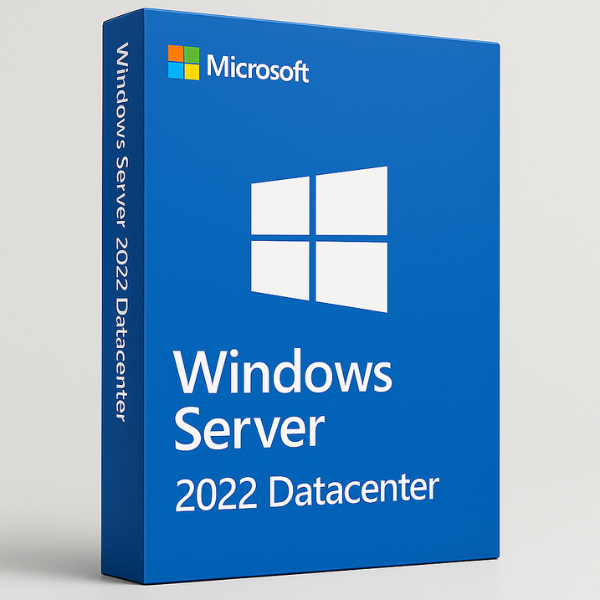

H1: Introduction to Windows Server Datacenter 2022 Global
In an increasingly digital world, businesses require robust, secure, and scalable solutions for their data infrastructure. Windows Server Datacenter 2022 Global is a powerful, enterprise-level server operating system that provides organizations with the tools needed to manage vast networks, virtual machines, and hybrid cloud environments. In this article, we’ll explore the features, installation, licensing, and best practices associated with this comprehensive solution.
H2: What is Windows Server Datacenter 2022 Global?
Windows Server Datacenter 2022 Global is an advanced version of Microsoft’s server operating system designed specifically for large-scale data center environments. It provides enterprise-level solutions for virtualization, cloud integration, and security. With robust performance capabilities, it ensures that businesses can run their critical workloads with minimal downtime.
This version is ideal for businesses that require high availability, large-scale virtualization, and cloud integration while managing large amounts of data. It is optimized for environments that require extensive computing power, like those used for virtualization, hybrid cloud infrastructures, and large databases.
H2: Key Features of Windows Server Datacenter 2022 Global
Windows Server Datacenter 2022 Global brings a host of new features to the table. Whether you’re running workloads on-premises or in the cloud, this version offers the tools necessary for scaling and securing your data infrastructure.
H3: Enhanced Security
Security is a top priority with Windows Server Datacenter 2022 Global. The operating system comes with several built-in security features such as Windows Defender Antivirus, Windows Defender ATP (Advanced Threat Protection), and shielded virtual machines (VMs). These features ensure that both your physical and virtual environments remain protected against cyber threats. Additionally, the use of BitLocker encryption ensures that sensitive data is encrypted and stored securely.
H3: Scalability and Virtualization
Windows Server Datacenter 2022 Global is designed with scalability in mind. The edition supports unlimited virtual machines (VMs) on licensed hardware, making it perfect for environments that require high-density virtualization. The Hyper-V capabilities allow businesses to create and manage virtual environments, making it easier to consolidate workloads and improve operational efficiency.
H3: Integration with Hybrid Cloud Solutions
Windows Server Datacenter 2022 Global seamlessly integrates with Microsoft Azure, allowing businesses to extend their data center to the cloud. This hybrid cloud integration ensures businesses can take advantage of cloud resources while maintaining control over their on-premises data. With features like Azure Arc and Azure Stack HCI, businesses can easily manage and deploy cloud-native applications alongside their traditional workloads.
H2: Why Windows Server Datacenter 2022 Global is Perfect for Enterprises
Windows Server Datacenter 2022 Global is an enterprise-grade solution that can meet the needs of any large organization. Here’s why it stands out:
H3: Enterprise-Grade Performance
Windows Server Datacenter 2022 Global supports up to 64 TB of memory and up to 2048 logical processors, which means that it can handle even the most resource-intensive workloads. This high-performance environment ensures that businesses can run their critical applications and databases without worrying about system slowdowns.
H3: Centralized Management and Automation
Managing a large IT infrastructure is a complex task. Fortunately, Windows Server Datacenter 2022 Global includes Windows Admin Center, a web-based management tool that centralizes administration, monitoring, and troubleshooting. With automation tools like PowerShell and Azure Automation, businesses can easily automate repetitive tasks, improving efficiency and reducing manual errors.
H2: Installing Windows Server Datacenter 2022 Global
Getting started with Windows Server Datacenter 2022 Global involves ensuring that your hardware meets the necessary requirements and following the proper installation steps.
H3: Minimum System Requirements
Before you install Windows Server Datacenter 2022 Global, make sure your server meets the following requirements:
-
Processor: 1.4 GHz 64-bit processor or faster
-
Memory: At least 32 GB of RAM
-
Storage: 40 GB or more of free disk space
-
Network Adapter: Gigabit Ethernet for network connectivity
H3: Installation Process
The installation process involves using the Windows Server Setup Wizard. After selecting the Datacenter edition during installation, you will follow prompts to configure disk partitions, network settings, and the administrator account. Be sure to apply all system updates once the installation is complete to ensure you’re operating with the latest patches.
H2: Configuring Windows Server Datacenter 2022 Global
Once the server is installed, configuring it properly ensures that the system runs smoothly and securely.
H3: Basic Configuration Setup
After installation, you will configure the server’s administrator account, set time zones, and adjust regional settings. It’s also important to configure IP addresses and assign the server to the correct Active Directory domain if necessary.
H3: Setting Up Networking
Networking is one of the most critical components of a data center. Set up your static IP addresses, configure DNS settings, and ensure the server is connected to the appropriate network for seamless communication with other devices and servers.
H3: Security Settings Configuration
Windows Server Datacenter 2022 Global comes with advanced security settings like Group Policies, Windows Defender, and BitLocker encryption. Configure these to protect your server from unauthorized access and ensure your data remains secure.
H2: Best Practices for Windows Server Datacenter 2022 Global
To ensure your server runs efficiently and securely, it’s essential to follow best practices for system optimization and maintenance.
H3: Resource Optimization
Use Hyper-V to run virtual machines efficiently and consolidate workloads to reduce hardware costs. Regularly check system resources using tools like Task Manager and Performance Monitor to identify potential bottlenecks and optimize resources.
H3: Security Best Practices
Enforce multi-factor authentication (MFA) for all users, ensure firewall settings are correctly configured, and enable Windows Defender ATP for real-time threat detection. Regularly update and patch the system to close any security vulnerabilities.
H2: Windows Server Datacenter 2022 Global Licensing
Choosing the right licensing model is essential to keep costs manageable while ensuring your infrastructure is compliant with Microsoft’s terms.
H3: Licensing Models and Cost Structure
Windows Server Datacenter 2022 Global is typically licensed based on the number of cores in the server. The Datacenter edition provides unlimited virtualization rights, meaning you can run as many virtual machines as needed on the licensed hardware. This makes it cost-effective for businesses with heavy virtualization needs.
H3: How to Get the Best Deal
For the best price on Windows Server Datacenter 2022 Global licenses, look no further than Softlicensekey. We offer genuine licenses at the lowest prices in the market, ensuring you can stay compliant while maximizing your budget.
H2: Common Use Cases for Windows Server Datacenter 2022 Global
Windows Server Datacenter 2022 Global is designed for various use cases in modern data centers.
H3: Virtualization and Hyper-V
One of the key use cases for this version is virtualization. With Hyper-V, businesses can create and manage virtual environments, allowing them to run multiple workloads on a single server, reducing costs and improving flexibility.
H3: Business Continuity and Disaster Recovery
Windows Server Datacenter 2022 Global is also ideal for businesses that need to ensure high availability and disaster recovery. Using tools like Failover Clustering and Storage Replica, businesses can protect their critical workloads from hardware failures and keep operations running smoothly.
H2: Troubleshooting and Maintenance
Even with the best setup, problems can arise. Here’s how to troubleshoot common issues:
H3: Diagnosing Common Problems
If you encounter issues like network connectivity problems or performance degradation, use Event Viewer and Windows Admin Center to troubleshoot and pinpoint the cause.
H3: System Maintenance Tips
Perform regular backups, check for system updates, and optimize disk space to keep the server running smoothly. Regular maintenance is key to ensuring long-term stability and performance.
H2: Why Choose Softlicensekey for Windows Server Licenses?
At Softlicensekey, we provide the most affordable and reliable Windows Server licenses, including the Datacenter edition. Here’s why you should choose us:
-
Affordable Pricing: We offer the cheapest prices on genuine Windows Server licenses.
-
Instant Delivery: Get your licenses delivered immediately after purchase, with no delays.
-
Excellent Customer Support: Our expert support team is always ready to help.
H2: Conclusion
Windows Server Datacenter 2022 Global is a powerhouse for enterprises looking to optimize their IT infrastructure. With advanced features in security, scalability, and hybrid cloud integration, it is the ideal solution for large organizations. To get the best deals on genuine Windows Server Datacenter licenses, visit Softlicensekey, your trusted source for affordable licenses.
H2: FAQs
-
What is the main benefit of using Windows Server Datacenter 2022 Global?
-
It offers unlimited virtualization rights and advanced features like hybrid cloud integration and high-performance computing.
-
-
How does the Datacenter edition differ from the Standard edition?
-
The Datacenter edition supports unlimited VMs and has enhanced features for large-scale virtualized environments, while the Standard edition offers limited virtualization rights.
-
-
Can I integrate Windows Server Datacenter 2022 Global with the cloud?
-
Yes, it integrates seamlessly with Microsoft Azure for hybrid cloud solutions.
-
-
What are the hardware requirements for Windows Server Datacenter 2022 Global?
-
The system needs at least a 1.4 GHz processor, 32 GB of RAM, and 40 GB of disk space for installation.
-
-
Where can I buy Windows Server Datacenter 2022 Global at the best price?
-
Visit Softlicensekey for the lowest prices on genuine Windows Server licenses.
-
Related products