
-
×
 Windows Server 2025 Standard (5 Device)
1 × $39.99
Windows Server 2025 Standard (5 Device)
1 × $39.99 -
×
 Windows Server 2022 Remote Desktop Services (RDS) 50 User CALs CD Keys
1 × $65.99
Windows Server 2022 Remote Desktop Services (RDS) 50 User CALs CD Keys
1 × $65.99 -
×
Microsoft Word 2019 for Mac
1 × $71.99
 Windows Server 2022 Remote Desktop Services (RDS) 50 User CALs CD Keys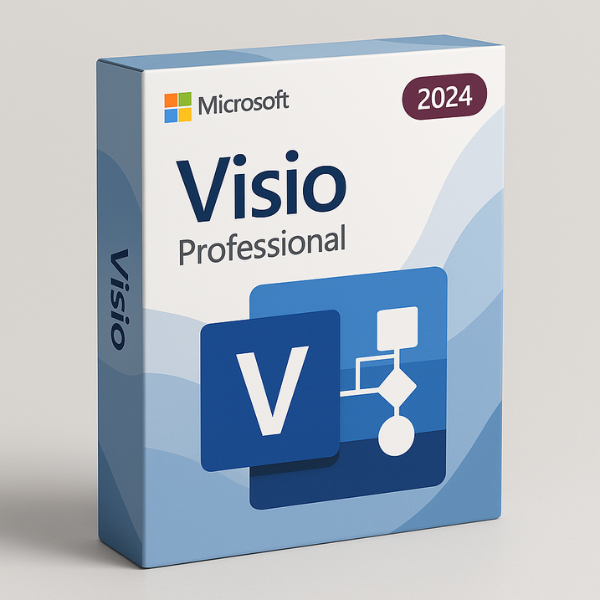

Introduction
Microsoft Visio 2024 Professional is a powerful tool for creating complex diagrams, flowcharts, and network designs. Whether you’re a business professional, an engineer, or an IT expert, Visio offers a range of tools to simplify diagram creation and improve communication. In this guide, we’ll take a detailed look at Microsoft Visio 2024 Professional – 3 Device license, its features, benefits, and how you can get it at the best price from softlicensekey.com, the ultimate destination for purchasing genuine software at the cheapest rates.
What is Microsoft Visio 2024 Professional – 3 Device?
Microsoft Visio 2024 Professional – 3 Device is the latest version of Visio designed for professionals who need access to powerful diagramming tools on multiple devices. The 3-device license allows users to install Visio on up to three different devices, giving you flexibility and convenience. Whether you’re working from your office computer, your laptop, or a mobile device, you can use Visio’s advanced features without limitations. This version is perfect for teams or individuals who require more than one installation to stay productive.
Why Choose the 3 Device License for Visio 2024 Professional?
The 3-device license for Visio 2024 Professional is an excellent choice for professionals who need flexibility in how they access the software. Rather than being restricted to one device, the 3-device license allows you to install Visio on up to three different machines, which can be useful if you’re frequently switching between devices. This flexibility helps you maintain productivity no matter where you are or which device you’re using.
Moreover, the 3-device license is cost-effective, as it eliminates the need to purchase separate licenses for each device. For teams working on collaborative projects, this license ensures that everyone has access to the same version of the software, simplifying collaboration and project management.
Key Features of Microsoft Visio 2024 Professional – 3 Device
Powerful Diagramming Tools
Visio 2024 Professional provides powerful diagramming tools that make it easy to create detailed and accurate diagrams. From simple flowcharts to complex network designs, Visio offers a vast selection of templates and shapes that you can drag and drop to create professional visuals. The software also supports data linking, allowing you to integrate data from external sources like Excel, which makes your diagrams more dynamic and interactive.
Multi-Device Usage and Synchronization
One of the key advantages of the 3-device license is the ability to use Visio on multiple devices. Whether you’re in the office, at home, or on the go, you can easily switch between devices without losing your work. This multi-device functionality ensures that your diagrams are always accessible, and changes made on one device will sync across all your devices, helping you stay up-to-date and productive.
Enhanced Collaboration and Integration
Visio 2024 Professional – 3 Device seamlessly integrates with other Microsoft Office apps, such as Excel, PowerPoint, and Word. This integration makes it easier to incorporate Visio diagrams into your presentations, reports, and documents. The software also includes collaboration features, allowing teams to work on diagrams simultaneously, leave comments, and make real-time updates. This is particularly useful for teams working on complex projects that require input from multiple stakeholders.
Benefits of Microsoft Visio 2024 Professional – 3 Device
Flexibility for Multiple Users
With the 3-device license, Visio 2024 Professional offers flexibility for multiple users. Whether you’re a small team or an individual professional who needs to access Visio from different devices, this license ensures that you can work seamlessly across platforms. You can install Visio on your desktop, laptop, and tablet, giving you the freedom to work anywhere.
Increased Productivity and Efficiency
Visio’s easy-to-use interface and wide range of templates help increase productivity. The ability to bind custom keyboard shortcuts, link data to diagrams, and use pre-designed templates means you can create complex diagrams faster. Additionally, the ability to work across multiple devices without losing your work ensures you can continue making progress no matter where you are.
Cost-Effective Solution for Teams
The 3-device license offers a cost-effective solution for businesses or teams that need more than one copy of Visio. Instead of purchasing multiple individual licenses, the 3-device license allows you to cover three devices for a single, affordable price. This pricing model helps companies save money while providing all team members with the tools they need to collaborate and produce high-quality diagrams.
How to Install and Activate Microsoft Visio 2024 Professional – 3 Device
Step-by-Step Installation Guide
-
Download the Software: Visit the official Microsoft website or your trusted software provider (like softlicensekey.com) to download the installer for Visio 2024 Professional.
-
Install Visio: Run the installer and follow the on-screen instructions to install Visio on your device.
-
Enter the Product Key: During the installation process, you’ll be asked to enter the product key that you received with your purchase.
-
Complete Installation: Once you’ve entered the key, the software will finish installing, and you can start using Visio 2024 Professional on your device.
Activation Process for the 3 Device License
Activating Visio 2024 Professional with the 3-device license is straightforward. After installation, you’ll need to enter your product key for each device you install it on. The key will activate Visio on that device, allowing you to access all its features. For a seamless experience, ensure that each device is connected to the internet during the activation process.
Troubleshooting Activation Issues
If you encounter any activation issues, make sure that you’ve entered the correct product key. Also, verify that the software is installed on a supported operating system. If problems persist, reach out to customer support at softlicensekey.com, and our team will assist you with troubleshooting.
Where to Buy Microsoft Visio 2024 Professional – 3 Device
Official Microsoft Store
You can purchase Microsoft Visio 2024 Professional – 3 Device directly from the official Microsoft Store. However, the prices tend to be higher, and you might not receive the best deals.
Authorized Resellers
Authorized resellers can also be a good option for buying Microsoft Visio 2024. They often provide competitive prices and may include additional services such as customer support or extended warranties.
Online Platforms Like Softlicensekey.com
For the cheapest prices on Microsoft Visio 2024 Professional – 3 Device, look no further than softlicensekey.com. We offer genuine product keys at affordable rates and provide instant key delivery, so you can start using Visio right away.
Why Softlicensekey.com is the Best Place to Buy Microsoft Visio 2024 Professional – 3 Device
Best Prices in the Market
At softlicensekey.com, we offer the best prices on Microsoft Visio 2024 Professional. You won’t find a more affordable option anywhere else without compromising on authenticity.
Genuine Product Keys Guaranteed
When you buy from softlicensekey.com, you can be sure that you’re receiving a 100% genuine product key. Our keys are sourced from authorized distributors, ensuring that your software is legitimate and fully supported by Microsoft.
Instant Delivery and Customer Support
We believe in providing an excellent customer experience. That’s why we deliver your Microsoft Visio 2024 Professional – 3 Device key instantly via email. Additionally, our customer support team is available 24/7 to assist you with any issues.
Comparison Between Microsoft Visio 2024 Professional – 3 Device and Other Versions
3 Device License vs. Single Device License
The primary difference between the 3-device and single-device license is the number of devices on which you can install the software. The 3-device license allows for installation on up to three devices, which is ideal for teams or individuals who need access across multiple machines.
Subscription-Based vs. One-Time Purchase
Visio 2024 Professional – 3 Device offers a one-time purchase option, which is often more cost-effective than subscription-based models. If you prefer not to deal with monthly fees, the 3-device license is a great option for long-term use.
Conclusion
Microsoft Visio 2024 Professional – 3 Device is an excellent tool for professionals who need advanced diagramming capabilities and flexibility across multiple devices. With its powerful features, cost-effective pricing, and easy integration with Microsoft Office products, it’s the ideal choice for businesses and teams looking to improve their workflow. For the best prices and genuine product keys, make sure to purchase from softlicensekey.com.
Frequently Asked Questions (FAQs)
What is the difference between the 3 Device license and the single device license for Visio 2024?
The 3-device license allows you to install Visio on up to three different devices, while the single device license restricts the installation to just one device.
Can I use my Microsoft Visio 2024 Professional – 3 Device license on any operating system?
Visio 2024 is compatible with Windows. Ensure that your operating system is supported before purchasing.
How long is the 3 Device license valid for?
The 3-device license is valid for the lifetime of the software version, with updates and support provided for several years.
Can I upgrade to a newer version of Visio with the 3 Device license?
You can upgrade by purchasing the latest version of Visio. The 3-device license doesn’t automatically include upgrades to new versions.
Why should I purchase Microsoft Visio 2024 Professional – 3 Device from Softlicensekey.com?
Softlicensekey.com offers the best prices, genuine product keys, instant delivery, and excellent customer support, making it the ideal place to purchase your Microsoft Visio 2024 Professional – 3 Device key.
Related products


