
-
×
 Microsoft Project Standard 2019 Cd Keys
1 × $15.00
Microsoft Project Standard 2019 Cd Keys
1 × $15.00
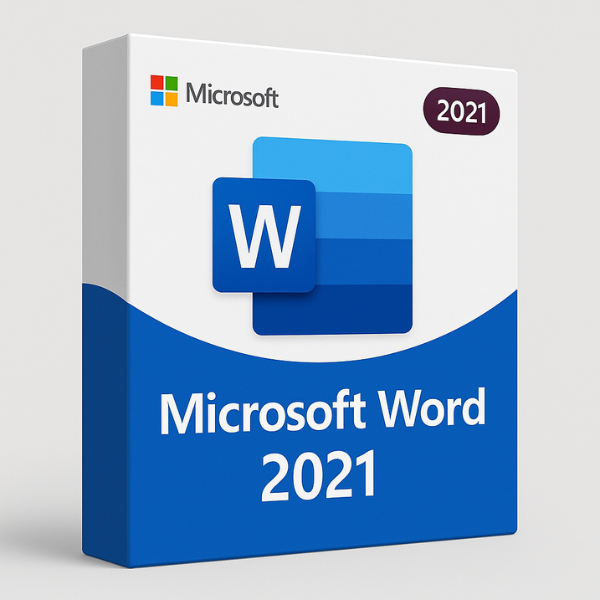

Introduction to Microsoft Word 2021
Microsoft Word 2021 is the latest version of the world’s most popular word processing software. Whether you’re a student, professional, or home user, Word 2021 provides all the features you need to create, edit, and manage documents with ease. One of the key elements of getting Microsoft Word 2021 up and running is the product key. But what exactly is a product key, and how do you get the most out of it? Let’s dive into the details.
Why Microsoft Word 2021 is Essential
Microsoft Word has been the standard for word processing for decades, and the 2021 version brings even more robust features to enhance your writing experience. From improved formatting options to seamless integration with cloud services, Word 2021 allows users to work more efficiently. Whether you’re writing reports, creating presentations, or just jotting down notes, Microsoft Word is a powerful tool that helps you stay productive.
Key Features of Microsoft Word 2021
-
Modern Interface: The latest version offers a more polished and user-friendly interface with a streamlined design.
-
Real-Time Collaboration: Collaborating on documents with colleagues or classmates is easier than ever.
-
Enhanced Drawing Tools: The new drawing and inking features are perfect for designers and artists.
-
Improved Accessibility Features: Enhanced support for people with disabilities, including better screen reader support.
What is a Product Key for Microsoft Word 2021?
A product key is a 25-character code that acts as a digital signature for your Microsoft Word 2021 copy. This key ensures that your software is authentic and legally licensed, protecting you from pirated versions that could lead to security risks and system errors.
Understanding Product Keys
The product key verifies that you have a genuine copy of Microsoft Word 2021 and unlocks the full features of the program. Without this key, you won’t be able to use Microsoft Word to its full potential. The key is typically provided with your purchase—either in your email if you buy digitally or within the packaging if you buy a physical copy.
How Product Keys Work
When you install Microsoft Word 2021, you’ll be prompted to enter your product key. The key authenticates your software and grants you access to all the premium features of Microsoft Word. If you fail to enter a product key, you may be limited to the trial version of the software.
Where to Find Your Microsoft Word 2021 Product Key
If you’ve purchased Microsoft Word 2021 and are wondering where to find your product key, don’t worry! There are a few places to look.
Checking Your Email or Packaging
If you bought a digital version of Word 2021, you should have received the product key in your confirmation email. For physical copies, the key is usually included in a card inside the packaging. Keep this key safe to avoid issues during activation.
Digital Download vs Physical Copy
With digital downloads, the key is typically delivered electronically. However, if you purchase the physical copy from a retail store, the product key will be found on a sticker or card inside the box. In either case, be sure to store your product key securely to prevent loss.
How to Activate Microsoft Word 2021 with a Product Key
Activating Microsoft Word 2021 with a product key is a simple process, but some users might encounter problems during activation. Here’s how to do it step-by-step:
Step-by-Step Guide to Activation
-
Install Microsoft Word 2021 on your computer.
-
Once installed, open the application and sign in to your Microsoft account.
-
You will be prompted to enter your product key. Input the 25-character key provided with your purchase.
-
After entering the key, click on “Activate.”
-
Word will authenticate the key, and your software will be fully activated.
Common Issues During Activation
Sometimes, users face activation errors. Common problems include incorrect product keys, internet connectivity issues, or a product key that has already been used. If you run into any problems, here are some quick tips:
-
Double-check that the product key was entered correctly.
-
Ensure you have a stable internet connection.
-
Contact Microsoft support if you continue to encounter issues.
Why Choose SoftLicenseKey.com for Your Microsoft Word 2021 Product Key?
When it comes to purchasing a Microsoft Word 2021 product key, not all sellers are created equal. At SoftLicenseKey.com, we offer the best deals and competitive pricing on Microsoft Word 2021 product keys. Here’s why you should consider us for your software purchase.
Affordable Prices and Deals
SoftLicenseKey.com is known for offering the cheapest prices on Microsoft Word 2021 product keys. We provide top-notch software at affordable rates, so you can get the tools you need without breaking the bank. If you’re looking for a budget-friendly option, we’ve got you covered.
Trusted Platform for Software Keys
Our platform is trusted by thousands of users for its reliability and authenticity. We offer genuine, legitimate product keys for all Microsoft software, ensuring you’re getting the real deal.
What Makes Microsoft Word 2021 Unique?
Microsoft Word 2021 stands out for its performance improvements, modern interface, and enhanced features.
Performance and Speed Enhancements
With each new release, Microsoft improves the performance and speed of Word. Word 2021 runs faster, especially on newer machines, allowing users to work without delay. The software’s enhanced speed ensures that even larger documents load and save quickly.
Improved Collaboration Tools
Microsoft Word 2021 enhances collaborative capabilities by offering tools like co-authoring, commenting, and sharing options. Working on group projects has never been easier, and real-time collaboration is seamless.
Frequently Asked Questions (FAQs)
How to recover a lost Microsoft Word 2021 product key?
If you’ve lost your product key, check your email for your purchase confirmation. If you bought a physical copy, the key should be on the packaging. Alternatively, you can contact Microsoft support for assistance.
Can I transfer my Microsoft Word 2021 license to another computer?
Yes, you can transfer your Microsoft Word 2021 license to a new computer. However, you can only use the license on one device at a time.
Is it safe to buy Microsoft Word 2021 product keys from third-party websites?
It’s important to be cautious when buying software from third-party websites. Ensure the site is reputable and provides genuine keys to avoid scams and counterfeit software. SoftLicenseKey.com is a trusted source for Microsoft product keys.
What are the differences between Microsoft Word 2021 and older versions?
Word 2021 includes more advanced features such as real-time collaboration, faster performance, and better integration with Microsoft Teams. These improvements make it more suitable for modern work environments.
What if I face issues with Microsoft Word 2021 activation?
If you face activation issues, try re-entering your product key or check your internet connection. If the problem persists, reach out to Microsoft support for assistance.
Conclusion
In conclusion, Microsoft Word 2021 is a powerful tool for anyone who needs to create and manage documents. Whether you’re working solo or collaborating with a team, Word 2021 provides the features and flexibility to get the job done. Remember, your product key is essential to activating and unlocking the full potential of Microsoft Word 2021. For the best deals on Microsoft product keys, look no further than SoftLicenseKey.com, where you can find the lowest prices and the most reliable service.


