
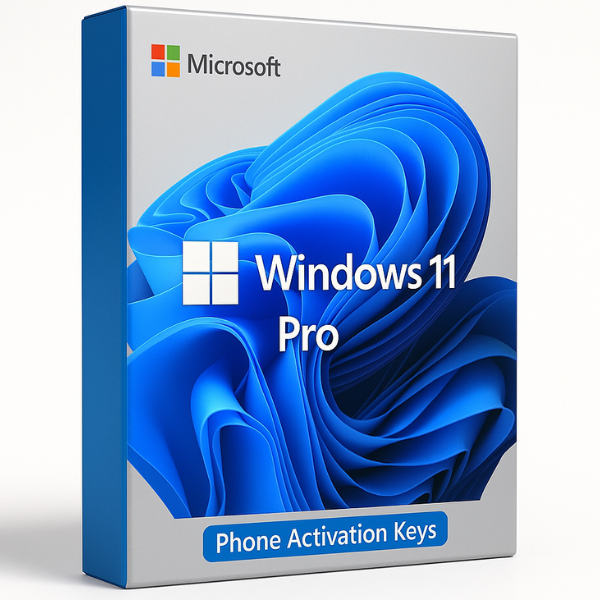

Introduction to Windows 11 Pro Activation
When Microsoft released Windows 11, it brought many exciting new features and changes. One crucial aspect of using Windows 11 is its activation process, which ensures that your copy of the operating system is legitimate and functioning as it should. If you’re looking to activate Windows 11 Pro using a retail-phone activation key, you’ve come to the right place.
Why is Activation Important?
Activation is an essential step in ensuring that your Windows 11 Pro installation is valid and not counterfeit. Without activation, you may not have access to some key features, such as customizability options, security updates, and more. Activation also helps Microsoft track license compliance and ensures that the software is used according to their licensing agreements.
What is a Windows 11 Pro Retail Key?
A Windows 11 Pro retail key is a unique product key that allows you to activate your Windows 11 Pro copy legally. This key is typically sold by retailers or authorized resellers, and it ensures that your installation is legitimate.
Key Features of Windows 11 Pro Retail Activation
-
Legitimate Activation: A retail key guarantees that you’re using a genuine copy of Windows 11 Pro.
-
All Features Unlocked: Unlike some other versions, the retail key unlocks all features of Windows 11 Pro, such as BitLocker encryption, advanced networking, and enterprise-level security options.
-
Transferable: If you ever need to move your activation to another device, retail keys typically allow for that.
How Does Phone Activation Work?
Phone activation is an alternative method of activating your copy of Windows 11 Pro when online activation fails or isn’t available. This method involves communicating with Microsoft’s automated phone system, which generates an activation code based on the product key you provide.
The Role of a Phone Activation Key
A phone activation key is often required when Windows cannot automatically validate your product key via the internet. It’s a secure method for Microsoft to verify that your copy of Windows is genuine and properly activated.
Step-by-Step Guide to Phone Activation for Windows 11 Pro
-
Enter Your Product Key: Open Settings, go to Update & Security > Activation, and select “Change product key.” Enter the 25-character retail key.
-
Initiate Phone Activation: If the online method fails, choose the “Activate by phone” option. You will then receive a phone number.
-
Call Microsoft: Dial the provided number and follow the automated instructions.
-
Enter Installation ID: The system will ask for your Installation ID, which you’ll find on the screen. This is a unique identifier generated during the installation.
-
Receive Confirmation ID: After submitting the Installation ID, Microsoft will provide a Confirmation ID to enter on your PC.
-
Complete Activation: Enter the provided Confirmation ID and complete the activation process.
Benefits of Using Retail Activation Keys
Genuine Activation Ensures Security
By using a genuine retail activation key, you’re securing your device against security threats. Non-activated or pirated versions of Windows 11 may not receive critical security patches and updates, leaving your system vulnerable to malware and cyber-attacks.
Access to All Features of Windows 11 Pro
Windows 11 Pro offers several features not found in the Home edition, such as advanced encryption, remote desktop, and a powerful security suite. With a retail key, you unlock all these features and enjoy the full benefits of the operating system.
Common Issues with Windows 11 Pro Activation
Troubleshooting Activation Errors
There are various reasons why Windows 11 Pro might not activate properly. Some common issues include entering the wrong product key, issues with Microsoft’s activation servers, or hardware changes that make Windows detect an “illegal” copy.
How to Fix Common Activation Problems
-
Check the Key: Ensure you’re using a valid 25-character product key.
-
Contact Support: If online activation doesn’t work, contact Microsoft support for assistance with phone activation.
-
Update Drivers: Sometimes, outdated drivers can cause activation issues. Make sure your system is up-to-date.
Where to Buy Windows 11 Pro Activation Keys
Why Choose SoftLicenseKey for Your Activation Keys?
At SoftLicenseKey, we pride ourselves on providing top-quality Windows 11 Pro activation keys at unbeatable prices. Unlike many other websites, we offer:
-
Lowest Prices Guaranteed: We believe in providing you with the best value for your money. Our keys are offered at some of the lowest prices in the market, ensuring that you don’t break the bank while upgrading or activating your PC.
-
Reliable and Genuine Keys: All our keys are 100% legitimate and work without any issues, giving you peace of mind when activating your Windows 11 Pro copy.
-
Customer Support: We offer dedicated support to help you every step of the way in case you encounter any problems with activation.
Cheapest Prices in the Market
When it comes to the best deals on Windows 11 Pro keys, SoftLicenseKey stands out. We make sure you can get a genuine activation key for a fraction of the cost of what other retailers charge.
How to Purchase a Key from SoftLicenseKey
Simply visit our website, select the Windows 11 Pro product key you need, and proceed to checkout. Our process is quick, easy, and secure, ensuring that you get your key instantly. If you need any help, our customer support team is available 24/7.
Windows 11 Pro Activation vs. OEM Keys
What Sets Retail Keys Apart from OEM Keys?
While OEM keys are tied to a specific device and cannot be transferred, retail keys offer more flexibility. Retail keys can be transferred to a different PC if needed, making them a better choice for users who might upgrade or change devices in the future.
Conclusion
Activating your copy of Windows 11 Pro using a retail-phone activation key is a straightforward process that ensures you’re using a legitimate version of Windows. By choosing SoftLicenseKey for your purchase, you’ll not only save money but also gain access to reliable and genuine activation keys. Don’t settle for less—make sure your Windows 11 Pro experience is secure, activated, and fully functional.
FAQs
-
What’s the difference between a retail key and an OEM key?
A retail key is transferable, meaning you can move it to a new device if you upgrade. An OEM key is tied to the first device it’s activated on and cannot be transferred. -
Why is my Windows 11 Pro not activating?
Common issues include incorrect product keys, server issues, or hardware changes. Try phone activation or contact Microsoft support for assistance. -
Can I use a phone activation key on multiple PCs?
No, each activation key can only be used on one device at a time. However, a retail key can be moved to another device if necessary. -
Is phone activation safe?
Yes, phone activation is a legitimate and secure method used by Microsoft to verify the authenticity of your Windows installation. -
Why should I buy Windows 11 Pro from SoftLicenseKey?
SoftLicenseKey offers genuine, cheap activation keys with excellent customer service and quick support, ensuring the best value for your Windows 11 Pro activation.
Related products


