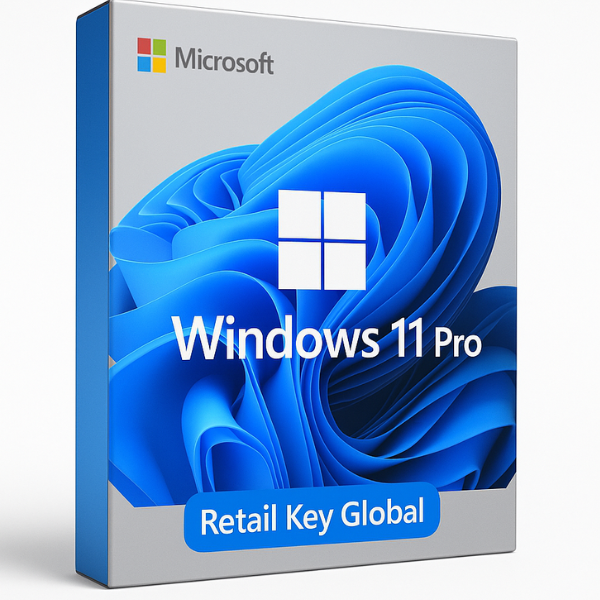
Introduction: What is Windows 11 Pro Retail Key Global?
Windows 11 Pro is the professional edition of Microsoft’s latest operating system, and the Retail Key Global is a version of the key used to activate the OS on a device. Unlike OEM keys that are tied to specific hardware, Retail Key Global offers more flexibility, allowing users to activate Windows 11 Pro on any compatible PC around the world. This makes it an ideal choice for anyone looking for a genuine, flexible solution to upgrade or install Windows 11 Pro across multiple devices.
But what exactly makes Windows 11 Pro Retail Key Global stand out, and why should you consider purchasing it? In this article, we will dive into everything you need to know, from key features to installation and activation processes, plus why SoftLicenseKey is the best site to buy your key at the lowest prices.
What Makes the Retail Key Global Unique?
The Retail Key Global is specifically designed to offer global compatibility for activation, meaning it can be used across different regions and on various devices. It is a genuine Microsoft product key that activates Windows 11 Pro in all markets worldwide. This flexibility makes it an attractive option for users who need to install Windows 11 Pro on multiple devices without restrictions tied to specific regions or hardware.
Why Should You Choose Windows 11 Pro?
Windows 11 Pro is packed with features tailored to professionals, businesses, and power users. It offers advanced security, productivity tools, and management features that are essential for a seamless computing experience. Whether you’re using your PC for work, managing a small business, or need additional features not found in the home version, Windows 11 Pro offers a robust platform designed for a more professional, secure, and customizable experience.
Key Features of Windows 11 Pro
Windows 11 Pro is much more than just an upgraded version of Windows 10. With its improved design, new features, and enhanced security, it’s the go-to operating system for professionals.
Enhanced Security Features
Security is a top priority for Windows 11 Pro, especially for professionals who handle sensitive information and data:
-
BitLocker: This encryption tool helps protect your data by encrypting your entire hard drive.
-
Windows Defender Antivirus: Built into Windows 11 Pro, this real-time protection tool shields your PC from malware, spyware, and other security threats.
-
Windows Hello: This feature allows you to log in to your PC using facial recognition or a fingerprint, ensuring more secure, password-free access.
-
Secure Boot: Helps protect against rootkits and unauthorized software by ensuring that only trusted programs load during startup.
Productivity and Business Tools
Windows 11 Pro includes tools that are perfect for both businesses and professionals:
-
Microsoft Teams Integration: Stay connected with colleagues or clients using the integrated Teams app, ideal for video meetings and collaboration.
-
Remote Desktop: Connect to your computer from anywhere with the Remote Desktop feature, which is perfect for telecommuting or accessing your work PC while traveling.
-
Virtual Desktops: Organize your work into separate desktops, helping you stay productive by keeping your tasks and apps categorized.
-
Snap Layouts and Snap Groups: Manage multiple apps more efficiently by snapping them into organized layouts for better multitasking.
Customization and Management Features
For businesses and advanced users, Windows 11 Pro offers several tools for managing devices:
-
Group Policy Management: IT administrators can use group policies to configure user settings across all PCs in a network.
-
Windows Update for Business: This feature gives businesses greater control over when and how updates are applied to all company devices.
-
Domain Join and Azure Active Directory Support: Join your device to a business domain and manage your user identities across multiple devices.
System Requirements for Windows 11 Pro Retail Key Global
Before installing Windows 11 Pro, you need to ensure that your system meets the necessary requirements.
Minimum System Requirements
To install Windows 11 Pro, your PC needs to meet these minimum specs:
-
Processor: 1 GHz or faster with at least 2 cores, 64-bit compatible.
-
RAM: 4 GB or more.
-
Storage: 64 GB or larger storage device.
-
Graphics: DirectX 12 compatible graphics / WDDM 2.x driver.
-
Display: 720p resolution, 9” or larger screen.
Recommended System Configuration
For an optimal experience, especially for demanding tasks, you should consider these higher-end specs:
-
Processor: 2 GHz or faster, quad-core processor.
-
RAM: 8 GB or more.
-
Storage: SSD with at least 256 GB for better speed and performance.
-
Graphics: Dedicated graphics card, especially if you use resource-heavy apps or games.
Why Choose Windows 11 Pro Retail Key Global?
The Windows 11 Pro Retail Key Global provides several advantages over other types of licenses:
Full Legitimacy and Global Use
This key is fully legitimate and gives you the flexibility to activate Windows 11 Pro anywhere in the world. Unlike OEM versions, which are tied to specific hardware, the Retail Key Global can be used on multiple devices, giving you greater freedom in how you set up your PCs.
Affordability and Cost-Effectiveness
Retail keys are typically more expensive than OEM versions, but they offer greater flexibility and are transferable. If you need the benefits of Windows 11 Pro for multiple devices or require greater control over your licenses, the Retail Key Global offers great value for money.
How to Purchase Windows 11 Pro Retail Key Global
Purchasing Windows 11 Pro Retail Key Global is simple, but it’s important to choose a reliable and trustworthy source.
Why Choose SoftLicenseKey for Your Purchase
At SoftLicenseKey, we offer genuine Microsoft product keys at the cheapest prices. Our keys are delivered instantly via email, and we provide top-notch customer support in case you encounter any issues.
How to Buy Windows 11 Pro Retail Key Global from SoftLicenseKey
-
Visit SoftLicenseKey and search for Windows 11 Pro Retail Key Global.
-
Add the product to your cart and proceed to checkout.
-
Enter your payment details and complete the purchase.
-
Once your order is processed, your product key will be delivered instantly to your email inbox.
-
Enter the key during installation or in the Activation Settings to get started.
How to Install and Activate Windows 11 Pro with Retail Key Global
The installation and activation of Windows 11 Pro are straightforward, especially with a Retail Key Global.
Step-by-Step Installation Process
-
Download Windows 11 Pro: You can download the installation file directly from Microsoft’s website or from SoftLicenseKey.
-
Create a Bootable USB Drive: Use the Media Creation Tool to create a bootable USB drive for installation.
-
Install Windows 11 Pro: Boot from the USB drive and follow the prompts to install Windows 11 Pro.
-
Enter Your Product Key: You will be asked to enter your Retail Key Global during installation.
-
Complete the Setup: Once installation is complete, choose your region, set up your account, and personalize your settings.
Activation Process for Retail Key Global
-
Go to Settings > Update & Security > Activation.
-
Click on Change Product Key and enter the key you received.
-
Windows will verify the key online and activate your system.
Troubleshooting Common Installation Issues
-
Not Enough Space: If you see an error about insufficient space, free up space or select a larger partition.
-
Activation Errors: If you encounter activation errors, ensure you’re using the correct key and check your internet connection.
Why SoftLicenseKey Offers the Best Deals on Windows 11 Pro Retail Keys
Competitive Pricing and Instant Delivery
We offer unbeatable prices on Windows 11 Pro Retail Key Global, and our keys are delivered instantly via email, so you can start using Windows 11 Pro without delay.
Top-Notch Customer Service and Genuine Product Keys
At SoftLicenseKey, we provide excellent customer service and ensure that all our product keys are legitimate, guaranteeing a smooth installation and activation experience.
Conclusion: Is Windows 11 Pro Retail Key Global the Right Choice for You?
Windows 11 Pro Retail Key Global is the perfect choice for anyone looking for a legitimate, flexible, and cost-effective solution to upgrade or install Windows 11 Pro on their devices. Whether you’re an individual looking to personalize your PC or a business needing secure, professional tools, Windows 11 Pro offers excellent value. And when you buy from SoftLicenseKey, you’re getting the best price and instant delivery of genuine keys.
Frequently Asked Questions
1. Can I use a Windows 11 Pro Retail Key Global on multiple devices?
No, the Retail Key Global can only be used on one device at a time. If you need more licenses, you’ll need to buy additional keys.
2. How do I upgrade to Windows 11 Pro using the Retail Key Global?
You can upgrade from Windows 10 to Windows 11 Pro by downloading the upgrade tool and entering your Retail Key Global during the installation process.
3. Can I transfer my Windows 11 Pro Retail Key Global to another PC?
Yes, you can transfer the Retail Key Global to another PC if you deactivate it from the original device.
4. What happens if I enter the wrong product key?
If you enter the wrong key, Windows will show an error message. Double-check the key and make sure it’s the correct one for your version of Windows 11 Pro.
5. Why should I buy Windows 11 Pro Retail Key Global from SoftLicenseKey?
SoftLicenseKey offers the cheapest prices, instant delivery, and genuine Microsoft product keys, making us the best option for your Windows 11 Pro Retail Key Global purchase.
Related products