
-
×
 Microsoft Windows 10 Pro N Global
1 × $14.99
Microsoft Windows 10 Pro N Global
1 × $14.99
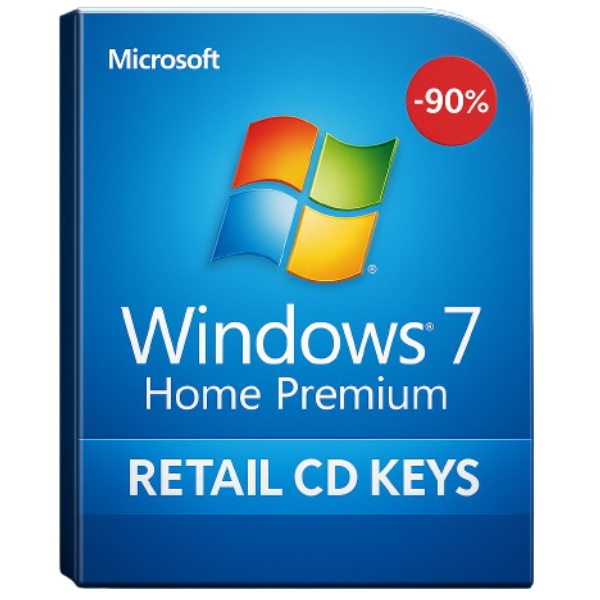
Introduction to Windows 7 Home Premium
If you’re still using Windows 7 Home Premium, you’re not alone. Despite the advancements in technology, many people still rely on this version of Windows for its stability, compatibility, and performance. Whether you’re upgrading or reinstalling your system, one of the essential components you’ll need is the Windows 7 Home Premium retail CD key.
In this guide, we’ll explore everything you need to know about Windows 7 Home Premium and why purchasing a retail CD key from a reliable seller like SoftLicenseKey is the best choice. Let’s dive in!
What is Windows 7 Home Premium?
Windows 7 Home Premium is a consumer-oriented edition of Microsoft’s Windows 7 operating system. It was designed to offer users a good balance of features and performance without overwhelming them with advanced capabilities found in higher-end versions like Professional or Ultimate.
Key Features of Windows 7 Home Premium
-
Improved Taskbar and Aero Peek: The revamped taskbar and Aero Peek features allow for easier access to applications and a more streamlined desktop experience.
-
HomeGroup Networking: Setting up a home network is simplified with the HomeGroup feature, enabling users to easily share files and printers with other Windows 7 computers.
-
Media Center: Windows 7 Home Premium comes with the Windows Media Center, providing a great way to organize and view videos, music, and pictures.
-
Enhanced Security: With built-in firewall protection and regular updates, Windows 7 Home Premium provides solid security to keep your system safe.
Why Choose Windows 7 Home Premium?
Compatibility and Performance
Windows 7 Home Premium is known for its superior compatibility with a wide range of software and hardware. Whether you’re running legacy programs or new apps, Windows 7 Home Premium works seamlessly with most systems. Additionally, it is optimized for both older hardware and newer technology, making it a versatile choice.
Enhanced User Experience
One of the reasons people still choose Windows 7 Home Premium is the enhanced user experience. It’s incredibly intuitive, offering features that are easy to use for beginners and advanced users alike.
Simplified Interface
Windows 7 Home Premium has a simplified and clean interface that ensures easy navigation, even for those who are not very tech-savvy. The Start menu is responsive, and with Aero Glass, you get a sleek and modern design.
Speed and Efficiency
Performance-wise, Windows 7 Home Premium is known for its speed and efficiency. The system runs smoothly even on machines with lower specifications, making it perfect for older PCs that might struggle with newer operating systems like Windows 10.
Understanding Retail CD Keys
What is a Retail CD Key?
A retail CD key is a unique, alphanumeric code that comes with a legitimate version of the Windows operating system, typically sold in a boxed package. This key is used to activate your copy of Windows 7 Home Premium and verify that it’s a genuine, licensed product. Retail CD keys are different from OEM (Original Equipment Manufacturer) keys, as they allow users to transfer the software to another computer if needed.
Difference Between Retail and OEM CD Keys
The main difference between retail CD keys and OEM keys is the transferability. Retail keys allow you to move the software between computers as long as it’s uninstalled from the previous system. On the other hand, OEM keys are tied to the first computer they’re activated on and cannot be transferred.
How to Activate Windows 7 Home Premium with a Retail CD Key
Step-by-Step Activation Process
Activating your copy of Windows 7 Home Premium is simple. Here’s a quick guide:
-
Insert the CD: Place the Windows 7 Home Premium installation CD into your PC’s optical drive.
-
Install Windows: Follow the on-screen instructions to install Windows.
-
Enter the CD Key: During the installation process, you will be prompted to enter the retail CD key. Type it in carefully to avoid errors.
-
Complete the Setup: Finish the installation process and restart your computer.
Common Activation Issues and Troubleshooting
Sometimes, users encounter problems when activating Windows 7, such as receiving an activation error or not being able to validate the key. If you face this issue, try the following:
-
Check your CD Key: Ensure that the CD key you’ve entered is correct and matches the version of Windows you are installing.
-
Contact Microsoft Support: If you’re still having trouble, Microsoft’s support team can help you resolve activation issues.
Where to Buy Windows 7 Home Premium Retail CD Keys
Why SoftLicenseKey is the Best Option
When it comes to purchasing a Windows 7 Home Premium retail CD key, look no further than SoftLicenseKey. Here’s why:
Affordable Prices and Discounts
At SoftLicenseKey, we offer some of the most affordable prices for retail CD keys on the market. We ensure that our customers get the best value for their money without sacrificing quality.
Secure and Trusted Platform
With SoftLicenseKey, you don’t have to worry about the legitimacy of your purchase. We pride ourselves on providing secure transactions and delivering only genuine, activated retail CD keys.
Benefits of Buying from SoftLicenseKey
-
Fast Delivery: Get your CD key instantly after purchase.
-
Customer Support: Our team is always ready to assist you with any queries or issues.
-
Money-Back Guarantee: If you face any issues with your CD key, we offer a full refund.
Conclusion
Windows 7 Home Premium remains a popular choice due to its reliability, ease of use, and great features. Whether you’re reinstalling it or upgrading, having a legitimate retail CD key is essential to activating and using the system properly. When you buy from SoftLicenseKey, you’re guaranteed the best prices and the most secure transaction process.
Frequently Asked Questions (FAQs)
-
Can I transfer my Windows 7 Home Premium retail CD key to another computer?
Yes, retail keys are transferable to another computer as long as they are uninstalled from the previous machine. -
Is Windows 7 Home Premium still supported by Microsoft?
Microsoft ended extended support for Windows 7 in January 2020, but it can still be used with some limitations. -
What if my Windows 7 Home Premium CD key doesn’t work?
If your CD key is invalid, contact SoftLicenseKey’s customer support for a replacement. -
Can I upgrade to Windows 10 from Windows 7 Home Premium?
Yes, you can upgrade to Windows 10, though you’ll need to check system requirements before making the transition. -
How do I know if my Windows 7 CD key is legitimate?
Purchasing from trusted sources like SoftLicenseKey ensures that you’re getting a genuine product key.


