
Introduction to Microsoft Office 2019 Standard for Windows
In today’s digital age, having reliable productivity tools is essential for personal and professional use. Microsoft Office 2019 Standard for Windows is a comprehensive suite of applications designed to meet the needs of individuals, families, and small businesses. Whether you’re drafting documents, managing spreadsheets, creating presentations, or organizing emails, Office 2019 Standard for Windows provides the core tools you need to stay productive.
This article will guide you through what Microsoft Office 2019 Standard for Windows offers, why it’s a great choice for users looking for a one-time purchase, and how you can get the best deal on it through SoftLicenseKey.com.
What is Microsoft Office 2019 Standard for Windows?
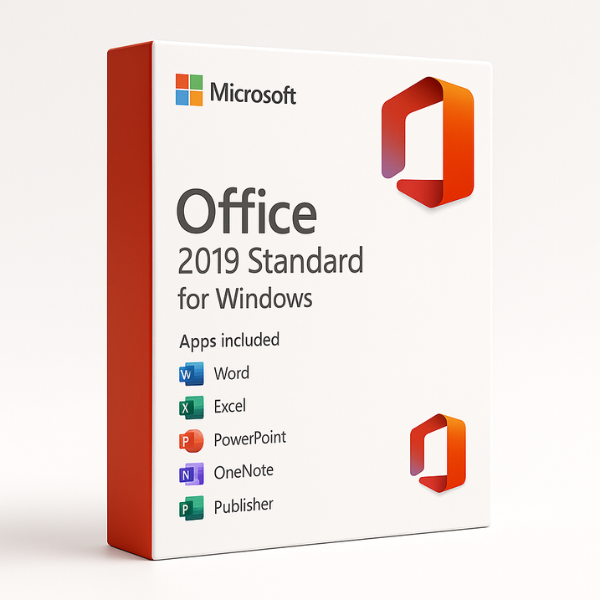
Microsoft Office 2019 Standard for Windows is a comprehensive software suite that includes the core Office applications such as Word, Excel, PowerPoint, and Outlook. Unlike Microsoft 365, which operates on a subscription model, Office 2019 is a one-time purchase, meaning once you buy it, you own it forever. This makes it a cost-effective solution for those who prefer not to deal with recurring payments.
The suite is designed for Windows users, making it ideal for those who want a reliable set of tools for work, school, or personal projects without needing ongoing updates or cloud-based features.
Key Features of Microsoft Office 2019 Standard for Windows
-
Word 2019: The go-to application for creating, editing, and sharing documents. Word 2019 includes new features like Smart Lookup and Focus Mode for distraction-free writing.
-
Excel 2019: A powerful tool for analyzing and visualizing data. It features new tools like PowerQuery and PowerPivot, helping users manage large datasets and perform advanced analysis.
-
PowerPoint 2019: Designed for creating stunning presentations, PowerPoint 2019 includes new animations, 3D models, and enhanced slide design options.
-
Outlook 2019: The most reliable tool for email management, calendar scheduling, and task tracking. The 2019 version includes improved focused inbox and calendar tools.
-
OneNote 2019: A digital notebook for capturing and organizing notes. It works seamlessly with other Office apps and syncs your work across devices.
Why Choose Microsoft Office 2019 Standard for Windows?
One-Time Purchase vs. Subscription Model
One of the major advantages of Office 2019 Standard for Windows is that it’s a one-time purchase. Unlike Microsoft 365, which requires an ongoing subscription fee, you pay once and get lifetime access to the Office suite. This can be a major benefit for users who don’t need the continuous updates or cloud-based features offered by Microsoft 365 but still want the core productivity tools.
Ideal for Home and Small Business Users
Office 2019 Standard is a great choice for home users and small businesses. It provides access to all the essential tools needed for tasks like word processing, data analysis, and email management, all without the complexity or cost of more advanced cloud-based versions like Microsoft 365.
Reliable Productivity Suite for Everyday Tasks
Whether you’re working on a report in Word, analyzing business data in Excel, or creating a presentation for a small team meeting, Office 2019 Standard has everything you need to handle everyday tasks efficiently. It’s reliable, easy to use, and designed for productivity.
Lifetime Access Without Recurring Costs
With Office 2019 Standard for Windows, you pay once and don’t have to worry about any recurring subscription fees. This makes it a more affordable option in the long run compared to subscription-based plans, especially for those who don’t need the continuous updates and cloud storage features offered by Microsoft 365.
Benefits of Microsoft Office 2019 Standard for Windows
Access to Core Office Applications
The suite includes the essential Office apps: Word, Excel, PowerPoint, and Outlook. These are the foundational tools for creating documents, analyzing data, managing emails, and building presentations, making it perfect for anyone who needs the basics without the extras.
Enhanced Security Features
Office 2019 Standard comes with enhanced security features designed to protect your data. Features like data encryption, password protection, and malware detection ensure that your work is safe from unauthorized access and external threats.
Better Protection for Your Data
With Office 2019, you benefit from improved security protocols and data protection to ensure that your documents and emails remain safe from prying eyes. These features are especially useful for businesses that handle sensitive data.
Integration with OneDrive for Cloud Storage
Although Office 2019 is not cloud-based like Microsoft 365, it still integrates with OneDrive, which allows you to back up and sync your documents across devices. This integration ensures that your files are always accessible, even if you need to switch devices.
System Requirements for Microsoft Office 2019 Standard for Windows
Minimum System Requirements
Before installing Office 2019 Standard for Windows, make sure your system meets the minimum requirements:
-
Operating System: Windows 10 or later
-
Processor: 1.6 GHz or faster, dual-core processor
-
RAM: 4 GB minimum
-
Storage: 4 GB available disk space
-
Display: 1280 x 768 screen resolution
Recommended System Requirements
For optimal performance, it is recommended that your system meets the following:
-
Operating System: Windows 10 or later
-
Processor: 2 GHz or faster, four-core processor
-
RAM: 8 GB or more
-
Storage: 4 GB or more available space
-
Display: 1920 x 1080 resolution or higher
How to Get Microsoft Office 2019 Standard for Windows at the Best Price
Why SoftLicenseKey.com Offers the Cheapest Prices
At SoftLicenseKey.com, we strive to offer the best prices for Microsoft Office 2019 Standard. We offer genuine product keys at prices that are often much lower than competitors, ensuring you get a great deal on high-quality software.
Exclusive Discounts and Promotions
We regularly offer discounts and special promotions on Microsoft Office 2019 Standard for Windows, allowing you to purchase it at even lower prices. Keep an eye out for flash sales and exclusive offers.
Instant Product Key Delivery
When you purchase from SoftLicenseKey.com, you will receive your product key instantly, enabling you to start using the software right away without waiting for a delivery.
How to Purchase Microsoft Office 2019 Standard from SoftLicenseKey.com
-
Visit SoftLicenseKey.com and select Microsoft Office 2019 Standard for Windows.
-
Add the product to your cart and proceed to checkout.
-
Complete the purchase and receive the product key instantly via email.
-
Download Office 2019 and use the key to activate the software.
How to Install Microsoft Office 2019 Standard for Windows
Step-by-Step Installation Process
-
Download the Installer: After purchasing, you can download the installer from the link provided by SoftLicenseKey.com.
-
Run the Installer: Open the downloaded file and follow the on-screen instructions to install Office 2019.
-
Activate Using the Product Key: When prompted, enter the product key to activate your copy of Office 2019.
Troubleshooting Common Installation Issues
-
Error 0x4004F00C: This error often occurs when the installation is interrupted. Try restarting your system and running the installer again.
-
Activation Problems: If activation fails, ensure that you’ve entered the correct product key. If issues persist, contact SoftLicenseKey.com support for assistance.
Why SoftLicenseKey.com is the Best Place to Buy Microsoft Office 2019 Standard for Windows
Trusted by Thousands of Satisfied Customers
At SoftLicenseKey.com, we pride ourselves on delivering genuine software at affordable prices. Thousands of customers trust us for reliable product keys and excellent customer service.
Secure Transactions and Customer Support
We offer secure payment options and have a dedicated support team to assist you with any issues related to installation or activation.
Fast and Reliable Service
Once you complete your purchase, you’ll receive your product key instantly, ensuring you can start using Microsoft Office 2019 without delay.
Conclusion
Microsoft Office 2019 Standard for Windows is an excellent choice for individuals and small businesses looking for a reliable, one-time purchase productivity suite. With its core Office apps—Word, Excel, PowerPoint, and Outlook—Office 2019 provides everything you need to stay productive. Plus, with the added benefit of affordable pricing and instant key delivery from SoftLicenseKey.com, it’s the ideal solution for anyone who wants high-quality software without the burden of a subscription fee.
Frequently Asked Questions (FAQs)
-
Can I install Microsoft Office 2019 Standard on multiple devices?
No, Office 2019 Standard is licensed for use on a single device. -
Is Microsoft Office 2019 Standard compatible with Mac?
Yes, Office 2019 is available for both Windows and Mac users. -
What’s the difference between Microsoft Office 2019 and Microsoft 365?
Office 2019 is a one-time purchase with no subscription, while Microsoft 365 requires a subscription for continuous updates and cloud storage. -
How do I activate Microsoft Office 2019 Standard?
You can activate Office 2019 using the product key provided after purchase. Follow the activation instructions in the installation wizard. -
Can I use Microsoft Office 2019 without an internet connection?
Yes, Office 2019 can be used offline after activation, though internet access is required for initial installation and updates.
Related products


