
 Microsoft Office 2024 Standard -1 PC
  MS Office 365 Pro Plus- 5 Device (Windows, Mac, Android) Lifetime Account
  Microsoft Office 2024 Professional Plus
  Microsoft Office 2021 Standard for Windows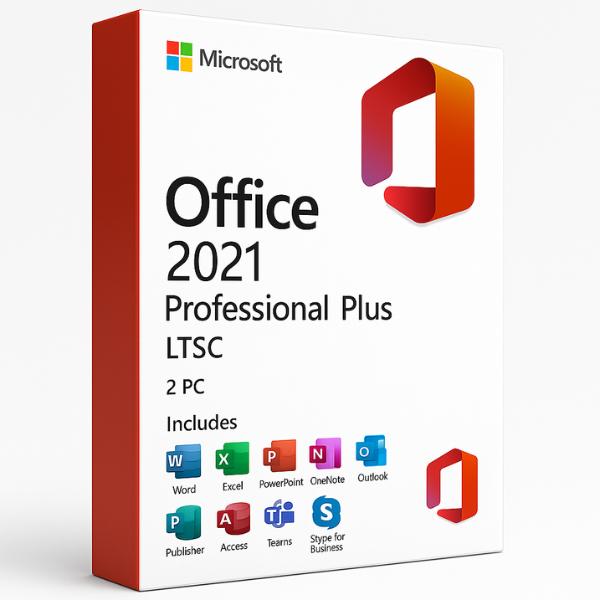

Are you looking for a reliable and powerful office suite for your PC? Microsoft Office 2021 Pro Plus LTSC – 2 PC might be exactly what you need. This edition of Microsoft Office offers a streamlined, stable, and highly efficient solution for users who prioritize long-term reliability. In this article, we will explore what makes Microsoft Office 2021 Pro Plus LTSC a top choice, how to download it, its features, and everything you need to know before you take the plunge.
What is Microsoft Office 2021 Pro Plus LTSC?
Microsoft Office 2021 Pro Plus LTSC (Long-Term Servicing Channel) is a specialized version of Microsoft Office designed primarily for businesses and enterprises that need stability over time. Unlike regular versions of Office, which receive yearly updates and features, LTSC versions are designed to provide a solid, unchanging set of tools for years, making them a great fit for environments where system consistency is a priority.
Why LTSC Version?
So why would someone choose the LTSC version over a more frequently updated version of Microsoft Office, such as Microsoft 365? The main reason lies in the stability and predictability of the LTSC version. It does not include new features or major updates for the duration of the version’s lifecycle, which typically lasts for around 5 to 7 years. For enterprises or users that don’t want constant changes or interruptions, this is a major advantage.
Features of Microsoft Office 2021 Pro Plus LTSC
Microsoft Office 2021 Pro Plus LTSC comes with a full set of productivity tools, including Word, Excel, PowerPoint, Outlook, and other essential apps. The features in this version include:
-
Improved Performance: The LTSC version is optimized for better performance and speed.
-
Enhanced Security: Advanced security features to protect your work and data.
-
No Internet Connection Needed: Unlike subscription-based versions, Office 2021 can be used offline without any issues.
-
Classic Apps: All the classic apps like Word, Excel, and PowerPoint come in this version with full features and support.
Benefits of Microsoft Office 2021 Pro Plus LTSC
Microsoft Office 2021 Pro Plus LTSC offers several key benefits that make it an attractive option for both individuals and businesses. Let’s take a deeper dive into why this version might be the right choice for you.
Stability and Long-Term Support
One of the biggest draws of the LTSC version is the stability it offers. Businesses that rely on specific software configurations can benefit from the predictable behavior of LTSC. You won’t have to worry about sudden feature changes or unexpected updates, which makes it ideal for environments that require strict system consistency.
Cost-effectiveness
For companies that don’t need the latest features and simply require a reliable office suite, the LTSC version can be a more cost-effective solution. By paying a one-time fee, you avoid the ongoing costs associated with subscription-based Office plans like Microsoft 365.
System Requirements for Microsoft Office 2021 Pro Plus LTSC
Before you start your download, it’s essential to know whether your PC meets the necessary requirements. Microsoft Office 2021 Pro Plus LTSC has specific system requirements that need to be met for successful installation.
Compatibility with Different Operating Systems
-
Windows: Requires Windows 10 or later, with 2GB of RAM and 4GB of available disk space.
-
macOS: Requires macOS 10.14 or later, with 6GB of RAM and at least 10GB of available storage space.
How to Download Microsoft Office 2021 Pro Plus LTSC
Downloading Microsoft Office 2021 Pro Plus LTSC is easy, but you must follow the correct procedure to ensure you’re downloading from a trusted source.
Official Microsoft Store Link
The safest way to download Office 2021 Pro Plus LTSC is through the official Microsoft website. Once you purchase a license, Microsoft provides a direct download link to the software, along with your product key.
Third-Party Download Links
While you may find third-party websites offering download links for Microsoft Office 2021 Pro Plus LTSC, it’s crucial to proceed with caution. Downloading from unofficial sites may expose your system to security risks and malware. Always choose trusted sources for your downloads to keep your data safe.
Installation Process
Once you’ve downloaded the installer, you can begin installing Microsoft Office 2021 Pro Plus LTSC. The process is straightforward but requires attention to detail.
Activating Your Product
After installation, the final step is activation. Purchase our Microsoft Office 2021 Pro Plus LTSC and uses a product key to activate the software. Simply enter the key provided with your purchase, and your Office suite will be ready to use.
Updates and Patches
Although LTSC versions don’t receive major feature updates, they still receive essential security patches and minor updates throughout their lifecycle.
Automatic Updates
It’s essential to keep your Office 2021 Pro Plus LTSC installation up to date to ensure security vulnerabilities are patched and the software runs smoothly. Automatic updates are included in this version, but users can also manually check for updates through the settings.
Frequently Asked Questions (FAQs)
Here are some common questions users often have about Microsoft Office 2021 Pro Plus LTSC.
What’s the difference between LTSC and regular Office versions?
The primary difference lies in the update cycle. LTSC versions do not receive feature updates, making them stable for longer periods, while regular versions (such as Office 365) receive constant updates with new features and improvements.
Can I use Microsoft Office 2021 Pro Plus LTSC on multiple PCs?
Yes, the “2 PC” version allows installation on two devices, which is ideal for users who need Office on both their desktop and laptop.
Is there a free trial available for Office 2021 Pro Plus LTSC?
Unfortunately, Microsoft does not offer a free trial for the LTSC version. However, there are trial versions available for Microsoft 365 if you want to test the cloud-based service.
Does Office 2021 Pro Plus LTSC support cloud storage?
While the LTSC version does not include cloud storage services like OneDrive by default, you can manually link your Office apps to cloud storage if needed.
Can I upgrade to Microsoft 365 after using Office 2021 Pro Plus LTSC?
Yes, you can upgrade to Microsoft 365 at any time, but you’ll need to uninstall the LTSC version before doing so.
Microsoft Office 2021 Pro Plus LTSC – 2 PC is a fantastic choice for those who need a reliable, long-term solution for productivity tasks. With its focus on stability and performance, it’s ideal for businesses and individuals who don’t want the constant interruptions of feature updates. By following the guide above, you can easily download and install this version, ensuring your office suite meets your needs for years to come.


