
-
×
 Microsoft Visio 2024 Professional -3 Device
1 × $74.00
Microsoft Visio 2024 Professional -3 Device
1 × $74.00
Introduction
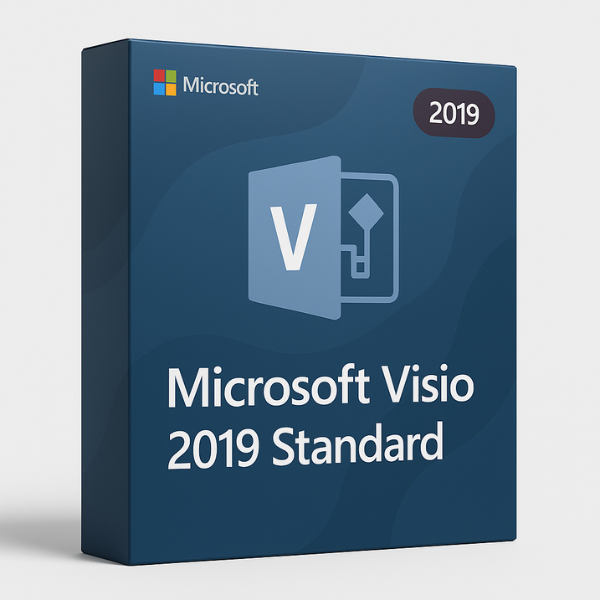
If you’re looking for a reliable tool to create diagrams, flowcharts, or network diagrams, Microsoft Visio Standard 2019 is an ideal solution. As one of the most trusted diagramming tools available, Visio helps businesses and individuals visualize data and processes effectively. However, to unlock its full potential, you need a valid CD key for activation. In this comprehensive guide, we’ll explore the features, benefits, and how to purchase your Microsoft Visio Standard 2019 CD key—especially from softlicensekey.com, the best platform for affordable and genuine keys.
What is Microsoft Visio Standard 2019?
Microsoft Visio Standard 2019 is a diagramming software designed to help users create professional diagrams, charts, and drawings with ease. Whether you need to make organizational charts, flowcharts, or network diagrams, Visio provides a wide range of templates and tools to get the job done efficiently.
Visio 2019 is the standalone version, meaning it doesn’t require a subscription like other Microsoft Office apps. It offers powerful features while maintaining a simpler interface, making it ideal for users who need comprehensive diagramming capabilities without the additional complexity.
Why Do You Need a CD Key for Visio Standard 2019?
A CD key (also known as a product key) is essential for activating your copy of Microsoft Visio Standard 2019. It’s a unique code provided when you purchase the software and serves as proof that you’ve legally obtained the software. Without this key, you won’t be able to access or use the software after installation.
Moreover, using a legitimate CD key ensures that your software receives all the necessary updates and security patches from Microsoft. This is particularly important for maintaining the software’s performance and security over time.
Key Features of Microsoft Visio Standard 2019
Easy-to-Use Diagramming Tools
Microsoft Visio 2019 comes with an intuitive drag-and-drop interface that allows you to create diagrams quickly. The tools are designed to be user-friendly, making it easy for beginners and professionals alike to use the software. You can create anything from simple flowcharts to complex network diagrams with minimal effort.
Templates and Stencils
One of the standout features of Visio Standard 2019 is its vast library of templates and stencils. These pre-designed shapes and layouts are tailored to various types of diagrams, such as business process flowcharts, organizational charts, and network diagrams. You can customize these templates to suit your needs, saving time and effort in the design process.
Enhanced Collaboration Features
Visio 2019 offers enhanced collaboration features, which are perfect for teams working on diagrams together. You can share your diagrams with colleagues, receive real-time feedback, and make updates seamlessly. This collaboration feature helps increase productivity, especially in team-based projects where diagrams need to be reviewed and revised.
Integration with Microsoft Office Suite
Visio Standard 2019 integrates smoothly with other Microsoft Office applications like Excel and PowerPoint. This integration allows you to easily import data from Excel to create charts and diagrams automatically. You can also export Visio diagrams into PowerPoint slides, making it easy to incorporate visual elements into presentations.
Benefits of Microsoft Visio Standard 2019
Streamlined Diagram Creation
Microsoft Visio Standard 2019 streamlines the diagram creation process by providing templates, tools, and automation features that save you time. Instead of starting from scratch, you can use Visio’s pre-built templates to quickly generate professional diagrams that meet your specific needs.
Improved Workflow and Productivity
By simplifying the diagramming process, Visio 2019 helps users improve their workflow and productivity. You can easily manage projects, design workflows, and visualize processes. The seamless integration with other Microsoft Office tools also contributes to more efficient teamwork and document sharing.
Cost-Effective Solution for Businesses
Compared to other high-end diagramming tools, Visio Standard 2019 offers a cost-effective solution for businesses. It provides all the necessary features for creating professional diagrams, making it a great value for companies looking to invest in diagramming software without overspending.
Where to Buy Microsoft Visio Standard 2019 CD Key
Official Microsoft Store
The official Microsoft Store is the most straightforward place to purchase your Microsoft Visio Standard 2019 CD key. However, the prices here can be higher compared to third-party resellers. Plus, the Microsoft Store often includes a subscription-based model, which may not be necessary if you’re only looking for the standalone version.
Authorized Resellers
You can also find Microsoft Visio Standard 2019 CD keys from authorized resellers. These resellers are typically more affordable than the official store and often provide additional perks, such as extended warranties or software bundles. However, always ensure that the reseller is legitimate to avoid counterfeit keys.
Online Platforms Like Softlicensekey.com
If you’re looking for the best deal on a genuine Microsoft Visio Standard 2019 CD key, softlicensekey.com is the best platform to buy from. We offer the lowest prices in the market, along with instant delivery of your product key. Our software is 100% genuine, and our customer service is always available to assist with any questions you may have.
Why Softlicensekey.com is the Best Place to Buy Microsoft Visio Standard 2019 CD Key
Unbeatable Prices
At softlicensekey.com, we strive to provide the most affordable prices for Microsoft Visio Standard 2019 CD keys. Our prices are significantly lower than those found in the official store, helping you save money without compromising on quality.
Safe and Genuine Product Keys
We only offer genuine product keys for Microsoft Visio Standard 2019, ensuring that your software is activated legally and securely. Our keys are sourced from authorized distributors, giving you peace of mind knowing that your software is safe and up-to-date.
Instant Delivery and Support
Once you purchase your product key, we deliver it instantly via email. No more waiting for days to get started! Plus, our customer support team is available around the clock to help you with any issues, from activation problems to technical questions.
How to Activate Microsoft Visio Standard 2019 Using a CD Key
Step-by-Step Activation Process
-
Download Microsoft Visio 2019: Begin by downloading the installation file from the official Microsoft website or the link provided by softlicensekey.com.
-
Install the Software: Follow the on-screen instructions to install Microsoft Visio on your device.
-
Enter the Product Key: When prompted during installation, enter the CD key you received from softlicensekey.com.
-
Complete Activation: After entering the key, click “Activate,” and your software will be ready to use.
Troubleshooting Activation Issues
If you encounter any issues during activation, ensure that you’ve entered the correct product key and have a stable internet connection. If the problem persists, you can reach out to our support team at softlicensekey.com, and we will help you resolve the issue quickly.
Comparison Between Microsoft Visio Standard 2019 and Other Versions
Visio Standard vs. Visio Professional
The main difference between Visio Standard and Visio Professional is the additional features available in the Professional version. Visio Professional includes more
Related products


