
-
×
 Microsoft Office Professional Plus 2024 -New Year (2025) Mega Sale
1 × $24.99
Microsoft Office Professional Plus 2024 -New Year (2025) Mega Sale
1 × $24.99 -
×
 Microsoft Office Pro Plus 2021 Retail – Phone Activation Global
1 × $2.99
Microsoft Office Pro Plus 2021 Retail – Phone Activation Global
1 × $2.99 -
×
Microsoft Office 365 Pro Plus Lifetime Account - 5 Device (Windows, Mac, Android)
1 × $9.99
-
×
Buy Microsoft Office 2024 Home and Business Bind Key for PC/MAC
1 × $199.99
 Microsoft Office Pro Plus 2021 Retail – Phone Activation Global
  Microsoft Office 365 Pro Plus Lifetime Account - 5 Device (Windows, Mac, Android)
  Buy Microsoft Office 2024 Home and Business Bind Key for PC/MAC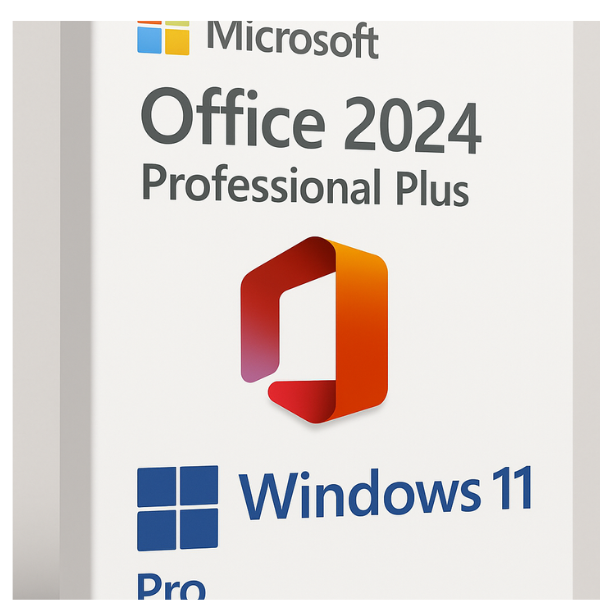

Introduction to Office 2024 Pro Plus and Windows 11 Pro
Are you looking for an upgrade that blends cutting-edge productivity with top-tier security? The combination of Office 2024 Pro Plus and Windows 11 Pro offers exactly that. Whether you’re a business professional, a student, or an entrepreneur, these tools bring together the best of both worlds. Office 2024 Pro Plus adds advanced features to familiar applications like Word, Excel, and PowerPoint, while Windows 11 Pro introduces a sleek, modern interface with a focus on productivity and security. Together, they create an environment that enhances workflow, boosts productivity, and secures your data.
What is Office 2024 Pro Plus?
Office 2024 Pro Plus is the latest iteration of Microsoft’s productivity suite. It’s not just your traditional Microsoft Office — it’s a powerhouse that includes familiar tools like Word, Excel, PowerPoint, Outlook, and Access, but with enhanced features. Office 2024 Pro Plus integrates AI and cloud capabilities that make it easier to collaborate and create. Whether it’s editing documents on the go or analyzing complex data with Excel, Office 2024 Pro Plus ensures a smooth and efficient experience.
Key Features of Office 2024 Pro Plus
-
Cloud Integration: The cloud functionality in Office 2024 makes saving and sharing files easier than ever. Microsoft OneDrive ensures you can access your documents from any device, anywhere.
-
AI-Powered Tools: With AI tools integrated across Office applications, tasks like summarizing documents, creating presentations, and analyzing data are faster and smarter.
-
Improved Collaboration: Office 2024 makes working together more seamless. Real-time editing, comments, and task management across apps ensure teams stay aligned, no matter where they are.
-
Advanced Security: Enhanced security features like multi-factor authentication (MFA), advanced encryption, and compliance tools make Office 2024 Pro Plus a secure choice for businesses.
What is Windows 11 Pro?
Windows 11 Pro is the latest version of Microsoft’s operating system, bringing modern design, enhanced productivity features, and a host of security upgrades. With Windows 11, users get a faster, more intuitive OS that’s built for today’s hybrid work environment. Windows 11 Pro is designed for professionals and businesses, providing enhanced capabilities for IT management, security, and collaboration.
Key Features of Windows 11 Pro
-
New Design: Windows 11 introduces a cleaner, more intuitive interface with a centered Start Menu and a fresh look that’s perfect for multitasking.
-
Snap Layouts: Easily organize windows on your screen with Snap Layouts, which help you manage multiple apps and windows at once.
-
Virtual Desktops: Create multiple desktops for different tasks, improving focus and organization.
-
Enhanced Security: Windows 11 Pro comes with built-in security features like Windows Defender, TPM 2.0, BitLocker, and Secure Boot, which ensure your system stays protected against cyber threats.
-
Business Features: Windows 11 Pro includes remote desktop, group policies, and enterprise-level encryption, making it the ideal choice for businesses.
Why Office 2024 Pro Plus and Windows 11 Pro are Perfect Together
These two products are a match made in tech heaven. Office 2024 Pro Plus is built to run seamlessly on Windows 11 Pro, ensuring that all features are optimized for performance. From AI-powered collaboration tools to secure cloud-based storage, the combination of Office 2024 and Windows 11 Pro enables users to get more done in less time.
Integration of Office 2024 with Windows 11
By combining Office 2024 Pro Plus with Windows 11 Pro, users experience unparalleled integration. The cloud-based features of Office sync perfectly with Windows 11’s native apps like OneDrive, ensuring that your files are always backed up and accessible. Moreover, Windows 11’s security features are fully compatible with Office’s enterprise-level security measures, ensuring that sensitive data remains protected.
Security Enhancements
When it comes to security, both Office 2024 Pro Plus and Windows 11 Pro offer cutting-edge solutions. From BitLocker encryption to multi-factor authentication, these products keep you secure. With Windows 11 Pro’s emphasis on secure boot and TPM 2.0, your data is more protected than ever before.
Benefits for Businesses Using Office 2024 Pro Plus and Windows 11 Pro
For businesses, the combination of Office 2024 Pro Plus and Windows 11 Pro offers significant advantages. Together, these products enhance productivity, streamline workflows, and ensure data security. Whether you’re working from home or in the office, these tools keep you connected and protected.
Streamlined Workflow
With tools like Microsoft Teams, OneDrive, and SharePoint fully integrated into Office 2024, businesses can streamline collaboration and communication. On the Windows 11 Pro side, features like Snap Layouts and virtual desktops help professionals stay organized and productive.
Cost-Effectiveness
While upgrading to the latest software may seem costly, investing in Office 2024 Pro Plus and Windows 11 Pro offers long-term savings. With more efficient workflows and enhanced security, businesses can save time and resources.
How to Get Office 2024 Pro Plus + Windows 11 Pro
Getting your hands on these powerful tools is easy. Visit softlicensekey, the best website in the world for acquiring genuine and licensed copies of Office 2024 Pro Plus and Windows 11 Pro. Softlicensekey ensures that you get the most up-to-date versions of these products at competitive prices. Plus, their secure and user-friendly platform makes purchasing a breeze.
Best Place to Purchase Office 2024 Pro Plus and Windows 11 Pro
When it comes to purchasing software, softlicensekey stands out as the best place to get Office 2024 Pro Plus and Windows 11 Pro. They offer authentic, licensed products and provide excellent customer service. Whether you’re purchasing for individual or business use, Softlicensekey guarantees a seamless experience.
FAQs
1. Can I upgrade from Office 2021 to Office 2024 Pro Plus?
Yes, you can easily upgrade from Office 2021 to Office 2024 Pro Plus by purchasing the new version. Ensure your system meets the requirements for a smooth installation.
2. Is Windows 11 Pro compatible with older hardware?
Windows 11 Pro has specific hardware requirements, including TPM 2.0 and a compatible processor. Be sure to check your hardware’s compatibility before upgrading.
3. What’s the difference between Office 2024 Pro Plus and Office 2024 Home and Student?
Office 2024 Pro Plus includes additional features like advanced business tools, support for IT management, and more. It’s designed for professionals, while Office 2024 Home and Student is intended for personal use.
4. How can I integrate Office 2024 with Microsoft Teams?
Office 2024 Pro Plus integrates seamlessly with Microsoft Teams, allowing you to collaborate in real-time, share documents, and schedule meetings directly from within Office apps.
5. What are the security features of Windows 11 Pro?
Windows 11 Pro includes multiple security features like BitLocker encryption, TPM 2.0, Windows Defender, and Secure Boot, ensuring your data is protected from cyber threats.
Related products
-54%

Original price was: $999.99.$459.00Current price is: $459.00.
-76%

Original price was: $49.99.$11.99Current price is: $11.99.

-83%

Original price was: $299.99.$49.99Current price is: $49.99.

-86%

-70%
