
-
×
 McAfee AntiVirus 2021 (1 YEAR / 1 DEVICE)
1 × $37.99
McAfee AntiVirus 2021 (1 YEAR / 1 DEVICE)
1 × $37.99 -
×
 Windows Server 2025 Datacenter (5 User)
1 × $35.99
Windows Server 2025 Datacenter (5 User)
1 × $35.99
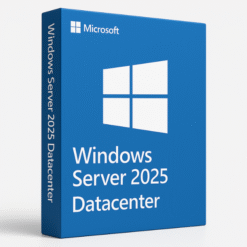 Windows Server 2025 Datacenter (5 User)
What is Windows Server 2012 Standard?
Windows Server 2012 Standard is a system made by Microsoft. It helps small and medium businesses run apps, store files, and stay safe. It’s strong, easy to use, and works well without high costs. so you can see Windows Server 2012 Standard Cd keys Global
Top Features You’ll Like
1. Run Many Systems with Hyper-V
Hyper-V lets you run many virtual computers on one real machine. This saves money and space. It also makes work faster and more flexible.
2. Strong Security Built In
This server keeps your data safe. It comes with Windows Defender and other tools to block bad software and stop unwanted access.
Why Choose This Server?
It helps your business grow, saves costs, and keeps your info safe. It’s simple, smart, and ready to support your daily work.
What Are CD Keys?
A CD Key (also known as a product key or license key) is a unique code required for the activation of software, including operating systems like Windows Server 2012 Standard. When you purchase Windows Server 2012, you will receive a CD key that you must enter during the installation process to activate the software.
What is a CD Key?
A CD key is a string of characters (usually alphanumeric) that serves as a license for the software. For Windows Server 2012, the CD key is used to validate that you have purchased a genuine copy of the software. It’s crucial for businesses to use authentic CD keys to ensure that they comply with Microsoft’s licensing requirements.
How CD Keys Work for Activation
Once you’ve installed Windows Server 2012 Standard, you’ll be prompted to enter the CD key during the activation process. The key will authenticate your copy of the software, allowing you to use all its features without restrictions. Without a valid CD key, your server may not be activated, and you may face limitations in its functionality.
Why Choose Windows Server 2012 Standard?
Windows Server 2012 Standard is a great choice for businesses of all sizes, especially for small to medium-sized organizations that need a cost-effective and scalable server solution. Here are some reasons to consider it for your business:
Cost-Effective for Small to Medium-Sized Businesses
Unlike other more expensive enterprise editions, Windows Server 2012 Standard offers a range of enterprise-level features at a much lower price point, making it the perfect choice for SMBs. By purchasing Windows Server 2012 Standard CD keys, businesses can access all the necessary server capabilities while keeping their costs low.
Scalability and Flexibility
Windows Server 2012 Standard is designed to scale with your business. It supports the virtualization of multiple operating systems and applications, allowing businesses to expand their infrastructure without the need for significant investments in physical hardware.
How to Purchase Windows Server 2012 Standard CD Keys
Purchasing a CD key for Windows Server 2012 Standard is essential to ensure that you’re using a licensed copy of the software. When buying a Windows Server 2012 Standard CD key, it’s crucial to choose a reliable and trusted source.
Buying CD Keys from SoftLicenseKey
At SoftLicenseKey.com, we offer genuine Microsoft product keys for Windows Server 2012 Standard at the best prices. Our platform ensures fast delivery, secure payments, and 24/7 customer support to guide you through your purchase. Unlike other sites, SoftLicenseKey is known for its authenticity and reliability.
Cheapest Prices for Windows Server 2012 Standard CD Keys
When purchasing Windows Server 2012 Standard CD keys, SoftLicenseKey ensures that you get the cheapest prices available online. We understand that businesses need affordable solutions, and we are committed to offering the best deals without compromising on quality or authenticity.
Installing and Activating Windows Server 2012 Standard with CD Keys
Installing Windows Server 2012 Standard with a valid CD key is a straightforward process. Here’s a guide to help you through the installation and activation process:
System Requirements
Before installing Windows Server 2012 Standard, ensure that your system meets the following minimum requirements:
-
Processor: 1.4 GHz 64-bit processor
-
Memory: 2 GB RAM (4 GB recommended)
-
Storage: 160 GB or more of free disk space
-
Network: Ethernet adapter for network connectivity
Installation Process
-
Prepare Installation Media: Download Windows Server 2012 or use a bootable USB stick.
-
Install Windows Server 2012: Boot from the installation media and follow the prompts to install Windows Server 2012 Standard.
-
Activate Windows Server 2012: During installation, you will be prompted to enter the CD key. Enter the key to activate your copy of the server.
Activating User CALs
Once installed, you may need to activate User CALs or Device CALs based on your licensing agreement. You can use the Remote Desktop Licensing Manager to enter the appropriate product keys and activate them.
Managing Windows Server 2012 Standard
Once Windows Server 2012 Standard is installed, managing the server is straightforward. Here are some best practices for efficient management:
User and Device Management
You can manage users and devices through Active Directory in Windows Server 2012. This feature enables administrators to control user access to resources, configure group policies, and ensure that only authorized individuals have access to sensitive data.
Virtual Machine Management
As Windows Server 2012 Standard supports Hyper-V, you can easily create and manage virtual machines, allowing you to run multiple operating systems and applications on a single physical server.
Pricing and Licensing for Windows Server 2012 Standard
When purchasing Windows Server 2012 Standard, it’s important to understand the pricing and licensing model to ensure you comply with Microsoft’s terms.
Why SoftLicenseKey is the Best for CD Keys
At SoftLicenseKey.com, we offer the best prices for genuine Microsoft product keys. Whether you need a single license or multiple copies, we ensure that you receive a fully legitimate Windows Server 2012 Standard CD key at an unbeatable price.
Comparing Prices of CD Keys
While other vendors may charge higher prices for Windows Server 2012 Standard CD keys, SoftLicenseKey offers competitive prices, providing businesses with the most affordable options for legitimate software.
Conclusion
Windows Server 2012 Standard is an essential tool for businesses looking to manage their IT infrastructure efficiently. With its advanced features and cost-effective pricing, it’s the ideal choice for small to medium-sized enterprises. By purchasing from SoftLicenseKey, businesses can get genuine Microsoft product keys at the cheapest prices, ensuring that they remain compliant while enjoying all the benefits of Windows Server 2012 Standard.
Frequently Asked Questions (FAQs)
-
What is Windows Server 2012 Standard?
-
Windows Server 2012 Standard is a server operating system that offers advanced features like Hyper-V virtualization, security enhancements, and support for cloud integration.
-
-
How do I activate Windows Server 2012 Standard with a CD key?
-
During installation, you will be prompted to enter a CD key. Enter the key to activate the software, ensuring you are using a genuine version.
-
-
What’s the difference between User CALs and Device CALs?
-
User CALs are tied to individual users, while Device CALs are tied to specific devices. Choose the one that best suits your business needs.
-
-
Why should I buy my CD key from SoftLicenseKey?
-
SoftLicenseKey offers genuine Microsoft product keys at the lowest prices, with fast delivery and excellent customer support.
-
-
Can I upgrade from Windows Server 2012 Standard to another version?
-
Yes, Windows Server 2012 Standard can be upgraded to Windows Server 2016 or other newer versions depending on your organization’s needs.
-
This article provides a thorough overview of Windows Server 2012 Standard and how businesses can benefit from purchasing genuine product keys from SoftLicenseKey at the cheapest prices. Whether you are upgrading your existing server infrastructure or starting fresh, Windows Server 2012 Standard offers the scalability, flexibility, and security needed to support business growth.
Related products
-88%

-90%

Original price was: $99.99.$9.99Current price is: $9.99.
-92%

Original price was: $169.99.$13.99Current price is: $13.99.
-91%

Original price was: $99.99.$8.99Current price is: $8.99.
-92%
Original price was: $169.99.$13.99Current price is: $13.99.
-91%

-88%
Original price was: $500.99.$59.99Current price is: $59.99.