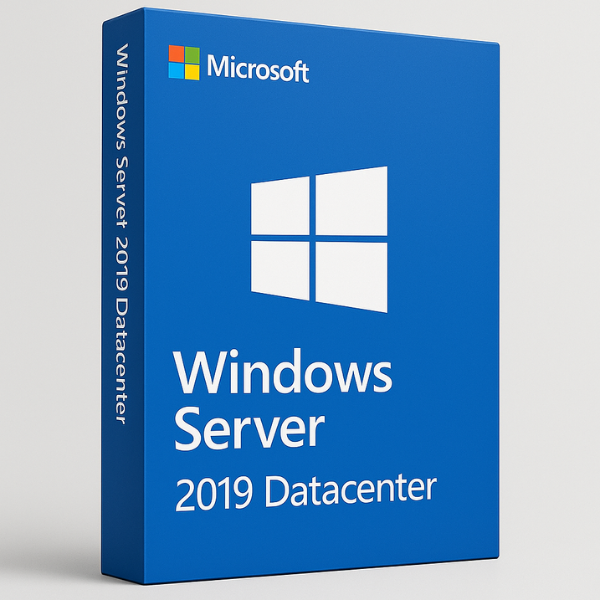

What is Windows Server 2019 Datacenter?
Windows Server 2019 Datacenter is the most advanced edition of Windows Server 2019, designed specifically for large-scale enterprises and data centers. It provides a complete set of features to handle everything from virtualization and cloud integration to networking, storage, and security. With its powerful capabilities, it’s ideal for businesses that need to scale their operations efficiently and securely, while supporting a wide range of applications and workloads.
Key Features of Windows Server 2019 Datacenter
Windows Server 2019 Datacenter Edition comes packed with robust features designed for enterprise environments. Let’s dive into some of its key features that set it apart from other editions of Windows Server:
Enhanced Virtualization
One of the standout features of Windows Server 2019 Datacenter is its virtualization capabilities. The Datacenter edition supports unlimited virtual machines (VMs), which is a crucial feature for businesses with large-scale virtualization needs. It also includes Hyper-V, Microsoft’s built-in virtualization platform, which allows businesses to run multiple virtual instances of Windows Server on a single physical machine.
Storage and Networking Improvements
Windows Server 2019 Datacenter introduces Storage Spaces Direct, which simplifies storage management and enables businesses to create highly available and scalable storage systems. In addition, Network Controller provides a centralized view of networking components, allowing for simplified management and more efficient operation.
Why Choose Windows Server 2019 Datacenter?
There are several reasons why Windows Server 2019 Datacenter is the best choice for large enterprises:
Scalability and Flexibility
Windows Server 2019 Datacenter is designed for businesses that need to scale quickly and flexibly. Whether it’s adding new servers, increasing virtualized resources, or expanding storage, Datacenter offers the scalability necessary for modern business growth. The system supports unlimited virtual machines and large-scale deployments, making it ideal for enterprises with complex infrastructures.
Advanced Security
Windows Server 2019 Datacenter includes advanced security features that protect data and services from potential cyber threats. Some of the major security features include Windows Defender ATP (Advanced Threat Protection), Shielded Virtual Machines, and encrypted traffic for better data privacy. With Datacenter Edition, businesses can ensure their systems are protected, even in the face of increasingly sophisticated cyber-attacks.
How Windows Server 2019 Datacenter Supports Global Operations
As businesses expand globally, they need solutions that can support international teams and global infrastructures. Windows Server 2019 Datacenter provides several features that make it perfect for businesses operating on a global scale:
Multi-National Support
Windows Server 2019 Datacenter offers multi-language support, allowing businesses to set up and manage the server in different languages depending on the region. This ensures seamless operations in global businesses, where employees might be spread across various countries and speaking different languages.
Global Collaboration and Remote Management
Managing a global business can be challenging, but Windows Server 2019 Datacenter simplifies this process by offering remote management capabilities. Using Windows Admin Center and other remote management tools, system administrators can access and configure their server environments from anywhere in the world. This enables smooth collaboration across teams in different locations and time zones.
Installing and Configuring Windows Server 2019 Datacenter
Getting started with Windows Server 2019 Datacenter involves a few steps. Here’s a quick guide to ensure your installation and configuration run smoothly:
System Requirements
Before you begin, make sure your hardware meets the following minimum requirements for installing Windows Server 2019 Datacenter:
-
Processor: 1.4 GHz 64-bit processor
-
Memory: 4 GB RAM (8 GB or more recommended)
-
Storage: 160 GB of storage or more
-
Network: Ethernet adapter for local network connectivity
Installation Process
-
Prepare Installation Media: You can use a bootable USB drive or DVD to install Windows Server 2019 Datacenter.
-
Boot the Server: Insert the installation media into the server, and boot from it.
-
Select Installation Type: Choose Windows Server 2019 Datacenter during the installation process.
-
Complete Setup: Follow the on-screen instructions to set up the server, including setting up an administrator account and network settings.
Post-Installation Setup
After installation, configure essential services such as Active Directory, DNS, and DHCP. You can also begin setting up Hyper-V for virtualization, configuring storage systems, and setting up security policies.
Managing Windows Server 2019 Datacenter
Once Windows Server 2019 Datacenter is installed, efficient management is essential to keep everything running smoothly. Below are a few best practices for managing the Datacenter edition:
Hyper-V Management
Hyper-V is a powerful tool for creating and managing virtual machines. With Windows Server 2019 Datacenter, you can manage a large number of VMs with ease. Administrators can use Hyper-V Manager to configure virtual machines, monitor their performance, and allocate resources effectively.
Active Directory and Security
Configuring Active Directory (AD) is essential for managing users and devices. Windows Server 2019 Datacenter also allows administrators to implement advanced security protocols to ensure that only authorized users can access critical resources.
Pricing and Licensing for Windows Server 2019 Datacenter
Windows Server 2019 Datacenter is available under various licensing models, and pricing can vary depending on the number of cores and virtual machines required. The Datacenter Edition generally costs more than the Standard Edition due to its advanced features and scalability.
Why SoftLicenseKey Offers the Best Prices
At SoftLicenseKey.com, we offer genuine Microsoft product keys for Windows Server 2019 Datacenter at the lowest prices. We understand that businesses need cost-effective solutions to scale, and we provide the most affordable pricing for enterprise-level software.
Comparison to Other Editions
While Windows Server 2019 Datacenter provides the most advanced features, it’s important to compare it with the Standard Edition to determine which version is best for your business. Datacenter is ideal for businesses that require unlimited virtual machines, while the Standard Edition supports a more basic virtualization model and is more affordable for small-scale deployments.
Conclusion
Windows Server 2019 Datacenter is the most powerful edition of Windows Server, designed for businesses with complex and growing infrastructure needs. Its features, such as unlimited virtualization, advanced security, and global support, make it the perfect choice for large-scale enterprises. If you’re looking to purchase Windows Server 2019 Datacenter, SoftLicenseKey offers genuine product keys at the cheapest prices, helping you scale your business securely and efficiently.
Frequently Asked Questions (FAQs)
-
What is Windows Server 2019 Datacenter?
-
Windows Server 2019 Datacenter is an enterprise-level edition of Windows Server designed for large-scale operations, offering advanced features like unlimited virtualization and enhanced security.
-
-
What are the system requirements for installing Windows Server 2019 Datacenter?
-
The minimum requirements include a 64-bit processor (1.4 GHz), 4 GB RAM, and 160 GB of storage space.
-
-
How does Hyper-V work in Windows Server 2019 Datacenter?
-
Hyper-V is used for creating and managing virtual machines. Datacenter allows unlimited VMs, making it ideal for large-scale virtualization.
-
-
Why should I choose SoftLicenseKey to purchase Windows Server 2019 Datacenter?
-
SoftLicenseKey offers genuine Microsoft product keys at the lowest prices, with excellent customer support to guide you through the purchasing process.
-
-
Can Windows Server 2019 Datacenter handle global operations?
-
Yes, Windows Server 2019 Datacenter offers multi-language and remote management features, making it perfect for businesses with global teams.
-
This comprehensive guide covers everything you need to know about Windows Server 2019 Datacenter—from its installation and key features to pricing and licensing. By choosing SoftLicenseKey, you are ensuring that your business gets the best prices on genuine Microsoft product keys, helping you grow your business securely and efficiently.
Related products