
 Microsoft Office 2021 Standard -3 Device Best Offer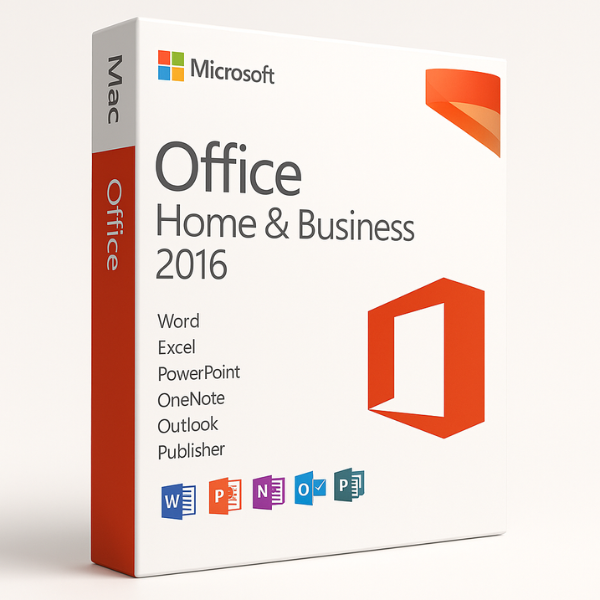

Introduction
Microsoft Office Home and Business 2016 for Mac is the perfect software suite for individuals and businesses who want to work efficiently and securely across various platforms. What makes this version even more appealing is its ability to bind to a Microsoft (MS) account, ensuring seamless integration across devices and global accessibility. Whether you’re creating documents, analyzing data, or managing emails, Office 2016 for Mac provides the tools to do it all, with the added benefit of cloud-based features through your Microsoft account.
In this article, we will explore the benefits of Office Home and Business 2016 for Mac, the concept of MS account binding, its global accessibility, and why SoftLicenseKey.com is the best place to purchase this version at the cheapest prices.
What is Microsoft Office Home and Business 2016 for MAC?
Microsoft Office Home and Business 2016 for Mac is a version of Microsoft’s Office suite designed specifically for macOS users. It provides essential tools that include Word, Excel, PowerPoint, Outlook, and OneNote – everything you need to boost your productivity and stay organized.
Core Applications of Office 2016 for MAC
-
Word: Create, edit, and share documents with ease.
-
Excel: Analyze data, perform calculations, and create spreadsheets.
-
PowerPoint: Design professional presentations for meetings, clients, or presentations.
-
Outlook: Manage emails, appointments, contacts, and tasks effectively.
-
OneNote: Organize notes, ideas, and documents in one central location.
Advantages of Choosing Office 2016 for Mac
Choosing Office Home and Business 2016 for Mac offers a number of key benefits for users, including:
-
Mac-Specific Features: The suite is optimized for macOS, offering a smooth, responsive, and intuitive experience.
-
Cross-Platform Compatibility: Office 2016 for Mac is fully compatible with Office on Windows, ensuring that documents can be opened and edited seamlessly across different systems.
-
Cloud Integration: With a Microsoft Account, users can access their documents anywhere, anytime.
These benefits make Office 2016 for Mac the perfect productivity tool for individuals and businesses alike.
Binds to MS Account: What Does It Mean?
The bind to MS account feature refers to the process where your Office Home and Business 2016 for Mac license is tied directly to your Microsoft account. This provides a range of features that improve usability and security.
Benefits of MS Account Binding
-
Seamless Synchronization: Your settings, documents, and preferences are synced across all devices that are linked to your Microsoft account. Whether you’re on your Mac at home, your PC at work, or your phone on the go, your files are always available.
-
Easy Access to Cloud Features: With your MS account, you can access OneDrive, ensuring that your files are stored safely and can be retrieved from anywhere.
How MS Account Binding Enhances Security
Binding your Office suite to your Microsoft account adds a layer of security. Here’s how:
-
Account Protection: By tying the software to your MS account, you ensure that only authorized users can activate and use the software.
-
Automatic Updates: With your MS account, you can automatically receive updates to your Office apps, ensuring that your software is always up to date and secure.
Global Accessibility
One of the most important features of Microsoft Office Home and Business 2016 for Mac is its global accessibility. Thanks to the MS account binding, this software can be used and activated worldwide without restrictions.
Accessing Office 2016 from Anywhere
With the MS account integration, you can access your Office apps and documents from anywhere in the world. Whether you’re working from a different country or accessing files on a business trip, your documents are just a login away.
Multi-Device Access
When you bind your Office 2016 for Mac to your Microsoft account, it allows you to sync your work across multiple devices. You can start working on your Mac, then continue on your PC or even mobile device without missing a beat.
Why Choose SoftLicenseKey.com for Office 2016?
When it comes to purchasing Office Home and Business 2016 for Mac, SoftLicenseKey.com is your go-to website. Here’s why:
Cheapest Prices for Genuine Licenses
At SoftLicenseKey.com, we offer genuine Microsoft licenses at the cheapest prices you’ll find online. Our prices ensure that you can enjoy the full benefits of Office 2016 for Mac without breaking the bank.
Secure, Fast, and Reliable Transactions
We pride ourselves on providing a safe and efficient purchasing experience. Our platform uses secure payment methods and delivers your software instantly, so you can get started right away.
How to Set Up and Bind Office 2016 to Your MS Account
Setting up Office 2016 for Mac and binding it to your Microsoft account is quick and simple. Here’s how to do it:
-
Install Office 2016: Download and install Office Home and Business 2016 for Mac on your Mac.
-
Sign in with Your Microsoft Account: During the installation or upon first launch, you’ll be prompted to sign in with your Microsoft account.
-
Complete Activation: After signing in, your Office 2016 suite will automatically be activated and bound to your account.
-
Access Your Files from Anywhere: Once bound, you can access your Office apps and documents from any device linked to your Microsoft account.
Conclusion
Microsoft Office Home and Business 2016 for Mac, when bound to your Microsoft account, is an excellent choice for anyone who needs seamless integration, enhanced security, and global accessibility. By purchasing from SoftLicenseKey.com, you are guaranteed the cheapest prices and a secure, reliable purchasing process.
Frequently Asked Questions (FAQs)
Can I use Office 2016 on multiple devices?
Yes, with MS account binding, you can use Office 2016 across multiple devices, as long as they are linked to your Microsoft account.
Is the license genuine and safe to use?
Yes, SoftLicenseKey.com provides only genuine Microsoft licenses that are fully secure.
How do I bind my Office 2016 to my Microsoft Account?
Simply sign in with your Microsoft account during the installation process, and your software will be automatically linked to your account.
What if I face issues with binding or activation?
Our customer support team is always ready to help. You can contact us anytime if you experience any issues.
Does Office 2016 for Mac support cloud services?
Yes, it supports OneDrive for cloud storage, allowing you to access your files from anywhere with your Microsoft account.
Related products


