-
×
 Windows Server 2025 Standard (5 Device)
1 × $39.99
Windows Server 2025 Standard (5 Device)
1 × $39.99
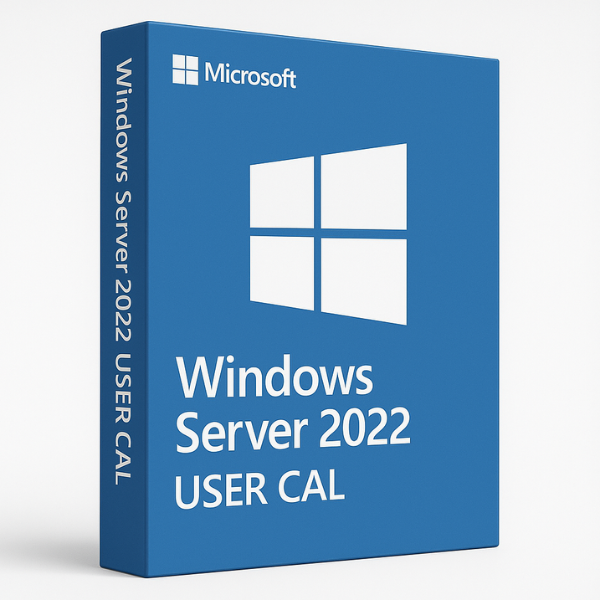
What is Microsoft Windows Server 2022?
Microsoft Windows Server 2022 is the latest server operating system from Microsoft, designed to help businesses manage their IT infrastructure efficiently. It offers powerful capabilities for managing workloads, securing data, and optimizing performance across various industries. With its wide array of features, Windows Server 2022 is an excellent choice for businesses looking to enhance their server environment and improve the remote access experience for employees.
Why Choose Windows Server 2022?
Choosing Windows Server 2022 means taking advantage of cutting-edge technology, enhanced security, and robust performance. Some of the key upgrades include:
-
Advanced Security Features: Windows Server 2022 offers improved encryption technologies, multi-layered protection, and enhanced security controls to safeguard your data.
-
Better Performance: With optimizations for virtualization and remote desktop services, it ensures smooth operation and efficient resource management for your business.
-
Cloud Integration: Server 2022 is designed with hybrid cloud environments in mind, enabling businesses to seamlessly integrate on-premises infrastructure with cloud services.
What are User CALs in Windows Server 2022?
A User Client Access License (CAL) is required for each individual user who needs to access the server. Unlike a Device CAL, which is tied to a particular device, a User CAL is assigned to a specific user, allowing them to access the server from any device, whether it’s a desktop, laptop, or mobile device. This provides flexibility for users who need to work from multiple locations or use multiple devices.
How Do User CALs Work?
User CALs work by assigning a license to an individual user, granting them the ability to connect to the Windows Server 2022 environment from any device. Once the CAL is installed and activated, the user can access resources, applications, and services hosted on the server without any restrictions on the number of devices they use. This is especially useful for remote workers or employees who use multiple devices throughout their workday.
Key Features of Windows Server 2022 User CAL
Windows Server 2022 User CAL offers several important features that improve the remote desktop experience for users. These features include:
Enhanced Security
Security is a major concern for businesses, and User CALs come with enhanced protection to ensure safe remote access. Windows Server 2022 provides features like Shielded Virtual Machines and Windows Defender ATP, which helps protect your server and user data from external threats and malware.
Improved Performance
User CALs allow businesses to optimize server performance by enabling seamless access to server resources. Windows Server 2022 offers performance improvements for managing larger workloads and providing quicker response times, ensuring that remote users can perform their tasks efficiently without experiencing lag or disruptions.
How to Choose the Right CAL for Your Business
When deciding between User CALs and Device CALs, there are a few things to consider:
User CAL vs Device CAL
-
User CALs are ideal for businesses where individual employees need to access the server from multiple devices, such as laptops, desktops, and mobile phones.
-
Device CALs, on the other hand, are more suited for environments where multiple users share a single device, such as in shift-based industries or kiosks.
When to Choose User CALs
User CALs are the best choice for businesses where employees need to work remotely or access the server from various devices. If your workforce includes mobile workers, traveling employees, or contractors who may need to use several devices, User CALs offer the flexibility needed to support these work styles.
Where to Buy Microsoft Windows Server 2022 User CAL
When purchasing Windows Server 2022 User CALs, it’s crucial to choose a reputable seller that offers genuine product keys. You want to make sure you’re getting a valid key at a competitive price, without any risk of encountering activation issues.
Why Choose SoftLicenseKey?
At SoftLicenseKey, we pride ourselves on being the best platform to purchase Windows Server 2022 User CALs. Our website is a trusted source for 100% genuine product keys, and we provide top-notch customer support to ensure a smooth purchase and activation process. With us, you can be sure you’re getting authentic keys at the most affordable prices.
Cheapest Prices for User CALs
SoftLicenseKey guarantees the cheapest prices for Windows Server 2022 User CALs. We understand that businesses need to keep their IT costs under control, so we offer competitive pricing without compromising on the quality of our product. Why pay more when you can buy from SoftLicenseKey at a fraction of the cost?
How to Install and Activate Windows Server 2022 User CAL
Once you’ve purchased your Windows Server 2022 User CAL, the next step is installing and activating it on your server. Here’s a step-by-step guide to help you get started:
Step 1: Purchase Your Product Key
Visit SoftLicenseKey.com and purchase your Windows Server 2022 User CAL product key. After making your purchase, you will receive your product key via email.
Step 2: Install and Activate CALs
-
Open Server Manager: On your Windows Server 2022, open Server Manager and navigate to Add Roles and Features.
-
Select Remote Desktop Services: Choose Remote Desktop Services and proceed with the installation.
-
Choose User CAL: When prompted, select User CALs and enter the product key you received from SoftLicenseKey.
-
Complete the Activation: Follow the remaining prompts to finish activating your User CALs.
Once activated, users will be able to connect to your server from any device, providing them with full access to applications and resources.
Conclusion
Windows Server 2022 User CALs are an essential tool for businesses that need to provide flexible access to their server resources. By choosing SoftLicenseKey, you ensure that you’re purchasing genuine keys at the cheapest prices in the market. Whether you’re a small business or a large enterprise, User CALs offer a secure and cost-effective solution for managing remote access.
Frequently Asked Questions
-
What is a User CAL?
-
A User CAL (Client Access License) is a license that allows an individual user to access the resources of a Windows Server 2022 from any device.
-
-
How do User CALs differ from Device CALs?
-
User CALs are assigned to individual users and allow access from multiple devices, whereas Device CALs are tied to a specific device and allow multiple users to share that device.
-
-
Why should I buy my User CALs from SoftLicenseKey?
-
SoftLicenseKey offers genuine product keys at the lowest prices and provides excellent customer support to ensure a smooth experience.
-
-
Can I use User CALs on multiple devices?
-
Yes, User CALs allow an individual user to access the server from any number of devices, including desktops, laptops, and mobile phones.
-
-
How do I activate my User CALs?
-
After purchasing your User CALs, you can activate them through the Server Manager by selecting Remote Desktop Services and entering your product key.
-
This article provides a comprehensive understanding of Windows Server 2022 User CALs, from the key features to installation and activation. By purchasing from SoftLicenseKey, businesses can ensure they are getting the best prices on genuine product keys, while ensuring flexibility and security for their remote desktop environments.
Related products
-91%
-89%
-91%
Original price was: $199.99.$18.99Current price is: $18.99.
-95%

Original price was: $999.99.$49.99Current price is: $49.99.
-89%
-92%

Original price was: $149.99.$11.99Current price is: $11.99.
-87%
-92%