
-
×
 Avast Premium Security 2022 (1 Year / 1 Device)
1 × $36.99
Avast Premium Security 2022 (1 Year / 1 Device)
1 × $36.99 -
×
 Windows 11 Pro -5 PC Retail Cd Keys
1 × $44.99
Windows 11 Pro -5 PC Retail Cd Keys
1 × $44.99 -
×
AVAST Premium Security 2020 Key (1 Year / 1 PC)
1 × $35.99
-
×
Kaspersky Total Security 1 Device 2 Year
1 × $65.99
-
×
Upgrade from windows 11 home to pro
1 × $14.99
-
×
Microsoft Visio 2024 Professional -3 Device
1 × $74.00
-
×
Windows 10 Pro (5 PC) Retail Product key
1 × $49.99
-
×
Microsoft Project 2021 Professional Global
1 × $11.50
 Windows 11 Pro -5 PC Retail Cd Keys
  AVAST Premium Security 2020 Key (1 Year / 1 PC)
  Kaspersky Total Security 1 Device 2 Year
  Upgrade from windows 11 home to pro
  Microsoft Visio 2024 Professional -3 Device
  Windows 10 Pro (5 PC) Retail Product key
  Microsoft Project 2021 Professional Global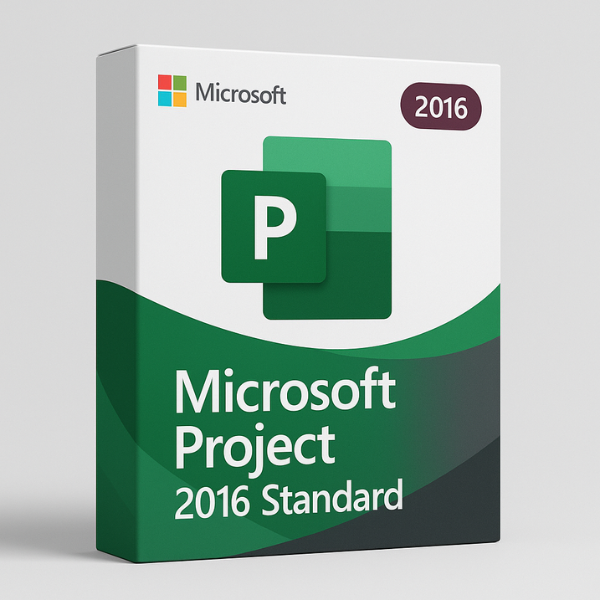

Introduction
Are you a project manager looking for a reliable tool to streamline your projects? Look no further! Microsoft Project 2016 Standard is a top-tier project management software that enables you to plan, manage, and track your projects with ease. However, to unlock its full potential, you need a valid product key. But where can you get a Microsoft Project 2016 Standard product key, and why should you choose softlicensekey.com? Let’s explore!
What is Microsoft Project 2016?
Microsoft Project 2016 is part of the Microsoft Office suite and is designed specifically for project management. With a user-friendly interface, it allows users to create schedules, allocate resources, track progress, and manage various aspects of project delivery. Whether you are working on a large-scale project or a small team-based task, Microsoft Project 2016 is built to handle it all.
Importance of the Product Key for Microsoft Project 2016
A product key is essentially a unique code that verifies the legitimacy of your software installation. It serves as proof that you have purchased a legal copy of Microsoft Project 2016. Without this key, you won’t be able to unlock the software and start using its features.
Features of Microsoft Project 2016 Standard
Task Management
One of the key features of Microsoft Project 2016 Standard is its powerful task management system. You can break down your project into manageable tasks, assign resources, and set deadlines. The software even allows you to create dependencies between tasks, ensuring a smooth workflow.
Scheduling and Timeline Tools
Scheduling is a breeze with Microsoft Project 2016 Standard. You can create detailed project timelines, identify milestones, and track project progress. The timeline feature is highly visual, making it easy to communicate your project’s status to stakeholders.
Resource Management
Managing resources efficiently is critical to the success of any project. With Microsoft Project 2016, you can allocate resources, track their availability, and optimize your project’s efficiency. You can even manage costs and budgets, ensuring you stay within your project’s financial limits.
Where to Get Microsoft Project 2016 Standard Product Key
Official Microsoft Store
The first place to look for a Microsoft Project 2016 Standard product key is the official Microsoft Store. While it’s a reliable source, it often comes with a higher price tag. Plus, you may need to wait for the delivery of your product key.
Authorized Resellers
You can also purchase Microsoft Project 2016 keys from authorized resellers. However, be cautious as not all resellers offer genuine, unused product keys. Always ensure that you’re dealing with a reputable seller.
Online Platforms like Softlicensekey.com
For the best deal and instant access to a product key, consider purchasing from softlicensekey.com. We provide 100% genuine Microsoft Project 2016 Standard product keys at unbeatable prices, along with fast delivery. Our customer support team is always available to assist with any queries, ensuring you a smooth purchasing process.
Why Choose Softlicensekey.com for Your Microsoft Project 2016 Standard Product Key?
Best Prices in the Market
At softlicensekey.com, we pride ourselves on offering the lowest prices for genuine software. Our product keys are not only affordable but also come with lifetime validity. You won’t find a better deal elsewhere.
Reliable and Safe Product Keys
When you purchase a product key from us, you can rest assured that it is legitimate and safe to use. We source our keys directly from Microsoft-authorized distributors, ensuring authenticity and security.
Instant Delivery
No waiting for days! When you purchase a Microsoft Project 2016 Standard product key from softlicensekey.com, you’ll receive your key instantly via email. This means you can start using your software immediately.
How to Activate Microsoft Project 2016 with the Product Key
Activating Microsoft Project 2016 Standard is a simple process. Here’s a step-by-step guide:
-
Install Microsoft Project 2016: Download and install Microsoft Project 2016 from the official website or use the installation media you received with your purchase.
-
Launch the Program: Open Microsoft Project 2016 after installation.
-
Enter Product Key: During the setup process, you’ll be prompted to enter your product key. Copy and paste the key from the email you received from softlicensekey.com.
-
Complete Activation: Click “Activate,” and within a few moments, your software will be fully activated.
Common Issues During Microsoft Project 2016 Activation and How to Resolve Them
Incorrect Product Key
Sometimes, users may enter an incorrect product key. Double-check the key and make sure there are no typographical errors. If the problem persists, contact softlicensekey.com for support.
Internet Connectivity Issues
Activation requires an internet connection. If you are experiencing connectivity issues, make sure your internet is working properly before attempting to activate again.
Activation Limit Exceeded
Each product key has a limit on the number of devices it can be activated on. If you’ve reached that limit, you may need to deactivate Microsoft Project on one device before activating it on another.
Benefits of Microsoft Project 2016 Standard
Increased Productivity
With features like task management, resource allocation, and advanced reporting, Microsoft Project 2016 helps streamline your workflows and improve team productivity.
Enhanced Collaboration Features
Project management is a team effort, and Microsoft Project 2016 Standard offers enhanced collaboration tools. Share project timelines, updates, and documents with your team members in real time.
Seamless Integration with Other Microsoft Products
Microsoft Project 2016 seamlessly integrates with other Microsoft Office tools like Excel, Word, and Outlook. This makes it easier to manage tasks and share information across platforms.
Is Microsoft Project 2016 Standard Worth the Investment?
Cost vs. Value
While Microsoft Project 2016 Standard may have a higher initial cost compared to some free alternatives, its robust set of features justifies the investment. You’re paying for quality and reliability that will ultimately save you time and resources.
Long-Term Benefits for Project Management
By streamlining your project management process, Microsoft Project 2016 helps ensure that your projects are completed on time and within budget, leading to long-term success.
Conclusion
In conclusion, Microsoft Project 2016 Standard is a powerful project management tool that provides features like task management, scheduling, and resource optimization. If you’re looking to purchase a product key for Microsoft Project 2016, look no further than softlicensekey.com. With the best prices, reliable keys, and instant delivery, we are your go-to choice for software activation needs.
Frequently Asked Questions
-
What is the difference between Microsoft Project 2016 Standard and Professional?
-
The main difference lies in the features. The Professional version offers additional tools like Project Server integration and more advanced reporting.
-
-
Can I use a Microsoft Project 2016 product key on multiple devices?
-
Typically, a product key is valid for use on one device. However, check the license agreement for any exceptions.
-
-
How long does it take to receive the product key from Softlicensekey.com?
-
Keys are delivered instantly via email after purchase.
-
-
What if I lose my Microsoft Project 2016 product key?
-
Contact softlicensekey.com for support, and we’ll help you retrieve your key.
-
-
Is the product key from Softlicensekey.com safe to use?
-
Yes! Our product keys are 100% genuine and sourced from authorized distributors.
-
WordsCharactersReading time


