
-
×
 Windows 11 Home N
1 × $18.99
Windows 11 Home N
1 × $18.99
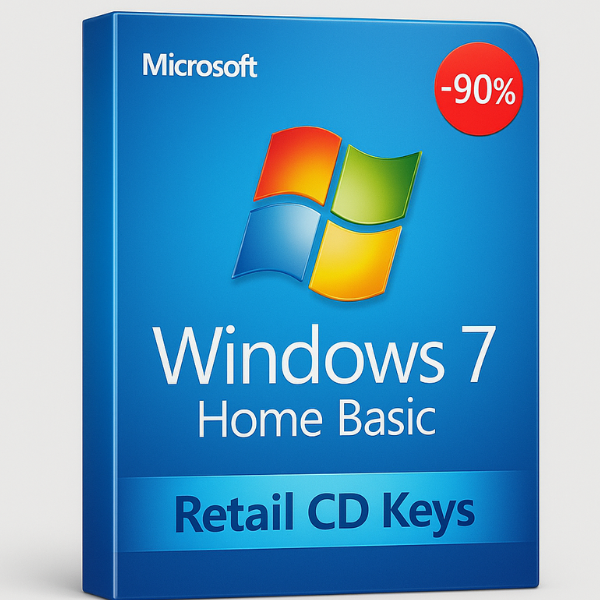
Introduction to Windows 7 Home Basic
Windows 7 Home Basic is a simplified version of Windows 7 designed for users who need essential features without the extra complexity or cost. It’s a great option for individuals who use their computers for basic tasks and don’t require the advanced capabilities found in higher-end editions like Home Premium or Professional.
In this article, we’ll cover everything you need to know about Windows 7 Home Basic, including its features, benefits, activation process, and where to buy genuine retail CD keys. By the end, you’ll see why SoftLicenseKey is your go-to website for affordable, legitimate CD keys.
What is Windows 7 Home Basic?
Windows 7 Home Basic is one of the most affordable versions of Windows 7. While it lacks some of the more advanced features, such as Windows Media Center or the Aero graphical interface, it still offers a stable and efficient experience for everyday tasks. This edition was mainly targeted at users in developing markets but became popular globally due to its straightforward functionality and low resource consumption.
Key Features of Windows 7 Home Basic
-
Simplified User Interface: It offers a streamlined interface that focuses on core functions, making it easy to navigate.
-
Essential Productivity Tools: Windows 7 Home Basic includes important features like a web browser, file management tools, and basic multimedia support.
-
Improved Performance: Designed for lightweight tasks, it ensures faster boot times and less system resource usage compared to higher-end editions.
-
Enhanced Networking: It supports basic networking capabilities, making it ideal for home users with simpler needs.
Why Choose Windows 7 Home Basic?
Lightweight and Fast Performance
Windows 7 Home Basic is optimized for older hardware and computers with limited resources. Unlike the more feature-packed versions of Windows, it runs efficiently on machines with lower specs, ensuring smooth performance and faster system boot times.
Simple and Easy to Use
With a focus on ease of use, Windows 7 Home Basic has a minimalistic design that won’t overwhelm new users. The layout is intuitive, making it perfect for individuals who don’t need all the bells and whistles offered by more expensive editions.
Ideal for Basic Tasks
Windows 7 Home Basic is perfect for those who use their computers for everyday tasks such as browsing the internet, working with office applications, and watching videos. It offers just the right tools without any extra features that might confuse or distract users.
Streamlined User Interface
The user interface is simplified, ensuring that users can quickly find what they need without dealing with unnecessary complexity. The Start menu and taskbar are efficient, giving users access to the most commonly used features without any distractions.
What is a Retail CD Key?
Understanding Retail CD Keys
A retail CD key is a unique product key that you receive when purchasing a legitimate version of Windows. This key is required for activating your copy of Windows 7 Home Basic and ensuring it is genuine. Unlike OEM keys, which are tied to a specific computer, retail keys can be transferred from one computer to another, making them a more flexible option for users.
How Retail Keys Differ from OEM Keys
Retail keys are generally more expensive than OEM (Original Equipment Manufacturer) keys but offer greater flexibility. With an OEM key, the license is tied to the hardware it was first activated on, meaning it cannot be moved to another computer. On the other hand, a retail CD key allows you to transfer your license to a new PC if needed.
How to Activate Windows 7 Home Basic with a Retail CD Key
Step-by-Step Activation Guide
Activating Windows 7 Home Basic with a retail CD key is straightforward. Here’s a step-by-step guide:
-
Insert the Installation Disc: Begin by inserting the Windows 7 Home Basic installation disc into your computer.
-
Follow the Installation Prompts: Follow the on-screen instructions to install Windows. You will need to choose the version you purchased (Home Basic) during installation.
-
Enter Your Retail CD Key: During the setup process, you will be prompted to enter the 25-character CD key. Be sure to enter it exactly as shown on the certificate of authenticity (COA).
-
Complete the Installation: Once the key is accepted, complete the installation process, and your copy of Windows 7 Home Basic will be activated.
Troubleshooting Common Activation Issues
Occasionally, users may encounter activation errors. If this happens, here are a few tips:
-
Double-check your CD Key: Ensure that the key you entered is correct and matches the version of Windows you are installing.
-
Internet Connection: Make sure your computer is connected to the internet during activation to allow Microsoft’s servers to verify the key.
-
Call Microsoft Support: If you’re still having trouble, Microsoft offers support for activation issues and can help resolve them.
Where to Buy Windows 7 Home Basic Retail CD Keys
Why SoftLicenseKey is Your Best Choice
When it comes to purchasing Windows 7 Home Basic retail CD keys, SoftLicenseKey stands out as the best option. Here’s why:
Affordable and Competitive Prices
SoftLicenseKey offers the most affordable prices on genuine Windows 7 Home Basic retail CD keys. We understand that cost is a major concern for many users, and we strive to provide the best deals in the market without compromising quality.
Secure and Trusted Platform
SoftLicenseKey ensures that every CD key sold is legitimate and valid. We offer a secure platform where you can make purchases with peace of mind, knowing that you’ll receive a genuine product key. Our platform is trusted by thousands of customers, making us the go-to destination for all your Windows software needs.
Advantages of Buying from SoftLicenseKey
-
Instant Delivery: Once your purchase is complete, you’ll receive your CD key instantly.
-
Customer Support: Our dedicated support team is available 24/7 to assist you with any questions or issues you may have.
-
Money-Back Guarantee: If there are any issues with your CD key, we offer a hassle-free refund policy to ensure your satisfaction.
Conclusion
Windows 7 Home Basic remains a solid choice for users who need a simple and effective operating system without the complexity or higher costs associated with more advanced versions. With its lightweight performance and straightforward interface, it’s perfect for users who want the essentials without any distractions.
When it comes to purchasing a Windows 7 Home Basic retail CD key, SoftLicenseKey is the best place to go. We offer affordable prices, secure transactions, and instant delivery. Why pay more elsewhere when you can get the best deal at SoftLicenseKey?
Frequently Asked Questions (FAQs)
-
Can I transfer my Windows 7 Home Basic retail CD key to another computer?
Yes, retail keys are transferable as long as the key is uninstalled from the original system. -
Does Windows 7 Home Basic support all hardware types?
Windows 7 Home Basic is designed to work well on older hardware, making it ideal for older PCs. -
What should I do if my Windows 7 Home Basic CD key isn’t working?
Check for typos, ensure your internet connection is stable, and contact Microsoft or SoftLicenseKey’s support if the issue persists. -
Can I upgrade to Windows 10 from Windows 7 Home Basic?
Yes, you can upgrade to Windows 10, but it is important to check if your computer meets the requirements for Windows 10. -
How do I ensure that my Windows 7 Home Basic CD key is legitimate?
Always purchase from trusted sources like SoftLicenseKey to guarantee the authenticity of your CD key.
Related products

-87%




-87%

Original price was: $149.99.$19.99Current price is: $19.99.
